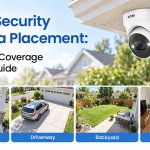
A security camera is only as effective as its placement. Even a camera with high-resolution video, night vision, motion detection, and smart alerts can leave important areas unprotected if it is installed in the wrong location. Strategic placement helps reduce blind spots, improve image quality, and give homeowners a clearer view of entrances, outdoor spaces, and other important areas around the property.
Whether you are installing a few cameras or building a complete home security system, the goal should not simply be to install as many cameras as possible. Instead, focus on covering the areas where security cameras can provide the most value. With the right combination of camera types, viewing angles, and installation locations, you can create reliable coverage while keeping installation practical and efficient.
Contents
Start With the Main Entry Points
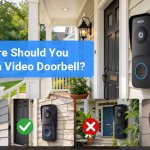
The front door should be one of the first locations to consider when planning security camera placement. It is one of the most frequently used entrances and is also an important area for monitoring deliveries, visitors, and activity around the doorway.
A camera positioned near the front entrance should provide a clear view of the approach to the door without being blocked by walls, decorations, or other objects. If possible, install the camera high enough to reduce the risk of tampering while maintaining a useful viewing angle.
Other exterior doors, such as back doors and side entrances, should also be considered. These areas may be less visible from the street and can therefore become potential blind spots. A camera covering each major entrance can help provide more complete protection around the home.
Cover the Driveway and Garage
The driveway and garage are also important areas for security camera coverage. A camera overlooking the driveway can help homeowners keep an eye on vehicles, packages, and activity approaching the property.
For a driveway camera, positioning is particularly important. The camera should be installed where it can capture a wide section of the driveway while avoiding excessive glare from headlights. Mounting the camera slightly higher can provide a broader view, but it should still be angled appropriately toward the area you want to monitor.
If your home has a garage, consider placing a camera near the garage entrance or in a position that covers both the garage door and the surrounding driveway. This can help reduce blind spots between different outdoor areas.
Protect Windows and Other Vulnerable Areas
Windows are another important part of a home security plan, especially windows located on the first floor or in less visible areas of the property.
A window security camera can provide a direct view of the area outside the window. For the best results, the camera should be positioned so that its lens faces outward through the glass while minimizing reflections and obstructions.
When installing a camera on a window, the height and angle of the window should also be considered. A slightly elevated installation location can provide a better view of the surrounding area. An angled mounting accessory can be particularly useful when the window does not provide the ideal viewing direction.
Rather than installing cameras on every window, focus on windows that are easily accessible from the ground, located at the rear of the property, or hidden from normal street view.
Watch the Backyard and Side Yards
Backyards often contain large areas that cannot be easily seen from the street. This makes them another useful location for security camera coverage.
A camera positioned at the back of the house can monitor the patio, garden, yard, and other outdoor areas. If your property has a long side yard, consider adding another camera or using a wide-angle camera to reduce blind spots.
When covering large outdoor spaces, think about the camera’s field of view rather than simply pointing it directly at one object. The goal is to create overlapping coverage between important areas whenever possible.
For example, a backyard camera can be positioned to cover the main yard while also capturing part of a rear entrance. Another camera can cover the side passage leading toward the front of the property. This creates a more continuous security view around the home.
Consider Indoor Cameras for Key Areas
Outdoor cameras are important, but indoor cameras can also play a role in a complete home security setup. Common locations include entryways, hallways, living rooms, and areas where multiple rooms connect.
An indoor camera placed near a main entrance can provide another layer of visibility. A hallway camera can also help cover movement between different parts of the house.
However, privacy should always be considered when installing indoor cameras. Avoid placing cameras in private areas such as bedrooms or bathrooms. When selecting indoor locations, focus on shared spaces and areas that provide useful visibility without unnecessarily compromising privacy.
Pay Attention to Camera Height and Viewing Angle
Camera placement is not only about choosing the right room or outdoor area. Height and viewing angle can significantly affect the quality of the footage.
Installing a camera too low may make it easier to reach or obstruct, while installing it too high may make people or objects appear too small in the image. A moderate elevation often provides a useful balance between security and image detail.
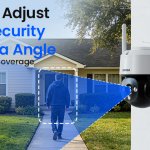
The camera should also be angled toward the area of interest rather than simply pointing straight ahead. Before permanently installing it, check the live view and make sure important areas are visible.
For outdoor cameras, avoid pointing the lens directly toward strong sunlight whenever possible. Direct sunlight can create glare and reduce image clarity, particularly during sunrise and sunset.
Minimize Blind Spots With Overlapping Coverage
One of the biggest mistakes homeowners make is focusing on individual cameras instead of the overall coverage plan.
For example, a front-door camera may cover the entrance but leave the side path completely outside its field of view. A driveway camera may capture vehicles but fail to cover the area beside the garage.
To avoid these gaps, think about your property as a series of connected zones:
·Front entrance
·Driveway and garage
·Side entrances
·Backyard
·Ground-floor windows
·Main indoor areas
Where practical, cameras can be positioned so that the edges of one camera’s view overlap with another. This creates more continuous coverage and reduces the chance that activity will occur in an unseen area.
Use Smart Detection to Reduce Unnecessary Alerts
Modern security cameras can offer more than simple video recording. Features such as motion detection, person detection, vehicle detection, and real-time notifications can make monitoring more convenient.
However, the effectiveness of these features depends partly on camera placement. A camera pointed at a busy road may generate frequent alerts from passing vehicles. Similarly, a camera facing trees or moving branches may detect unnecessary motion.
Try to position cameras so that the main detection zone contains the areas you actually want to monitor. Adjusting detection sensitivity and activity zones can further reduce unwanted notifications.
Think About Nighttime Conditions
A security camera should provide useful footage both day and night. When choosing installation locations, consider how lighting changes after dark.
Avoid placing cameras where strong lights shine directly into the lens. Instead, position them to take advantage of existing outdoor lighting when possible. If the area is naturally dark, choose a camera with reliable infrared or full-color night vision.
It is also important to check the nighttime image after installation. A camera that looks perfectly positioned during the day may produce glare, shadows, or poorly illuminated footage after sunset.
Test Before You Permanently Install
Before drilling holes or applying permanent mounting materials, test the camera’s position. Use the camera’s live view to check the entire area you want to cover.
Walk through the monitored area and check whether important details remain visible from different distances. Test the camera during both daytime and nighttime conditions if possible.
Also check the Wi-Fi signal at the planned installation location for wireless cameras. A location with a weak connection may cause delayed notifications, unstable video, or connection problems.
Taking a few extra minutes to test the location can prevent the inconvenience of moving the camera later.
Conclusion
The best security camera placement strategy is about creating complete and practical coverage rather than simply installing cameras everywhere. Start with important entry points such as the front door, back door, driveway, and garage, then consider vulnerable windows, side yards, and backyard areas. Indoor cameras can provide additional visibility in key shared spaces.
Camera height, viewing angle, lighting, night vision, and smart detection settings are equally important. Most importantly, review the entire property as one connected security system and identify potential blind spots before installation.
With thoughtful planning and proper placement, your security cameras can provide clearer video, more useful alerts, and broader coverage. Whether you are protecting a small apartment or a large family home, taking the time to choose the right installation locations can make a significant difference in the overall effectiveness of your home security system.
Related Posts