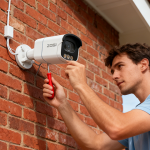
A garage is often one of the most overlooked areas in home security, yet it is also one of the most vulnerable. It usually contains valuable items such as vehicles, bicycles, power tools, and sometimes even provides direct access to the main house. Because of this, installing a security camera in the garage is a smart and practical way to improve overall home protection.
To truly improve security, it is important to understand how to install security cameras in a garage for the best coverage, focusing on placement strategy, camera selection, and installation techniques.
This guide will walk you through a complete and practical approach to achieving optimal garage surveillance coverage.
Contents
Start with Understanding Your Garage Layout
Before installing any camera, the first step is to carefully study the structure and usage of your garage.
Ask yourself the following questions:
– Where is the main entry and exit point?
– Is there a side door or a door connecting to the house?
– Where do you usually park your vehicle?
– Are there storage areas with valuable items?
– Are there dark corners or hidden spots?
A garage is not just an open space—it has movement patterns. Understanding these patterns helps you decide where surveillance is truly needed.
The goal is to ensure that every important movement inside the garage is captured clearly.
Choosing the Right Type of Security Camera
To achieve the best coverage, selecting the right camera is essential. Not all cameras are suitable for garage environments.
Key Features to Look For:
High Resolution (1080p or higher)
Clear image quality is essential for identifying faces and license plates.
Wide-Angle Lens (120°–160° or more)
A wider field of view reduces blind spots and covers more space with fewer cameras.
Night Vision Capability
Garages are often dark, so infrared or color night vision is very important.
Motion Detection
Smart detection helps reduce unnecessary alerts and focuses on real activity.
Wi-Fi or Wired Connection
– Wi-Fi cameras are easier to install
– Wired or PoE systems offer more stable performance
Local or Cloud Storage
Choose based on your preference for accessibility and backup security.
Best Camera Placement Strategies in a Garage
Placement is the most important factor in achieving effective surveillance. A well-positioned camera can cover an entire garage, while a poorly placed one may miss critical areas.
1. Above the Garage Door (Interior Side)
This is one of the most important positions.
Why it works well:
– Captures every entry and exit
– Records vehicle movement clearly
– Difficult for intruders to tamper with
This angle acts as the primary security checkpoint for the garage.
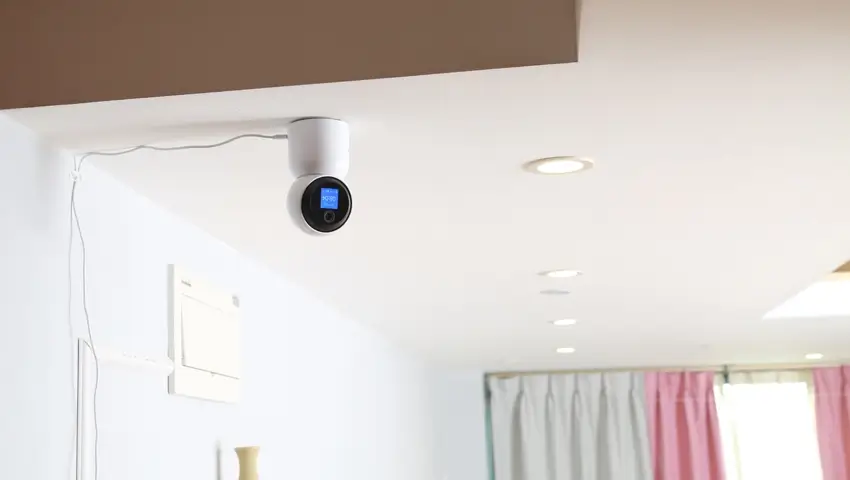
2. Ceiling Center Position
Installing a camera in the center of the ceiling provides maximum coverage.
Benefits:
– Wide-angle view of the entire garage
– Ideal for monitoring parked vehicles
– Reduces blind spots significantly
This is especially useful for garages with a simple rectangular layout.
3. Corner Placement for Full Coverage
Corner-mounted cameras help eliminate blind spots that central cameras may miss.
Best for:
– Larger garages
– Irregular layouts
– Overlapping coverage with other cameras
A corner position allows the camera to “look across” the entire space diagonally.
4. Facing the Door to the House
If your garage connects directly to your home, this is a critical placement.
Why it matters:
– Monitors movement between garage and home
– Acts as a second layer of defense
– Helps detect unauthorized access early
This camera should always be part of a serious security setup.
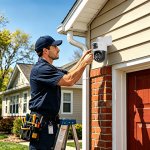
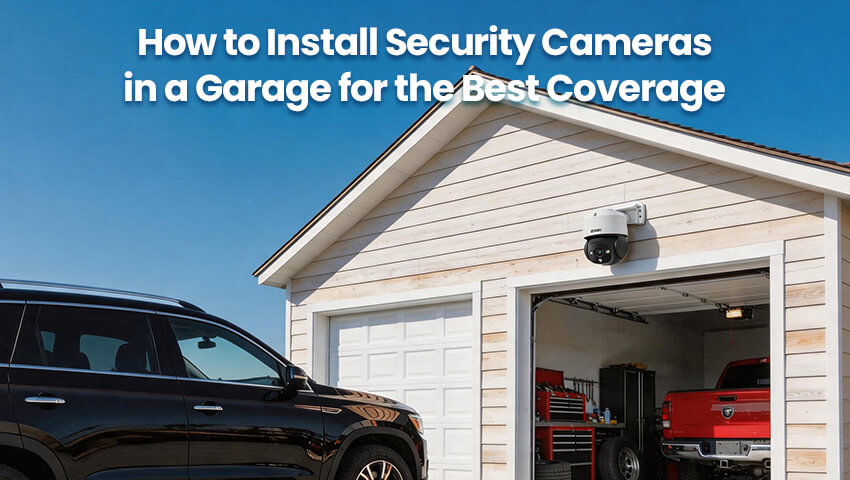
5. Exterior Garage Camera (Optional but Recommended)
Installing a camera outside the garage adds another layer of protection.
It helps:
– Monitor driveway activity
– Capture suspicious behavior before entry
– Record vehicle arrivals and departures
This external perspective strengthens the entire security system.
Ideal Multi-Camera Setup for Maximum Coverage
For the best results, a single camera is often not enough. A multi-camera setup provides full coverage and eliminates blind spots.
A recommended configuration:
– Camera 1: Above garage door (entry monitoring)
– Camera 2: Ceiling center (overall coverage)
– Camera 3 (optional): Facing interior door or driveway
This combination ensures that:
– All entry points are covered
– The entire garage space is visible
– No blind spots are left unmonitored
Even in medium-sized garages, this setup provides strong security coverage.
Correct Installation Height and Angle
The height and angle of installation greatly affect image quality.
Recommended Height:
– Between 2.5m to 3m (8–10 feet)
Best Angle Practices:
– Tilt slightly downward for better facial visibility
– Avoid pointing directly toward bright lights
– Ensure license plates and faces are not overexposed
A common mistake is mounting cameras too high, which results in unclear details. The goal is not just wide coverage, but also clear identification.
Lighting Plays a Critical Role
Even the best cameras perform poorly in complete darkness without proper lighting support.
To improve performance:
– Install motion-activated lights in the garage
– Avoid deep shadow corners
– Reduce strong backlight near entrances
Good lighting improves:
– Image clarity
– Night vision effectiveness
– Motion detection accuracy
Lighting and cameras should work together as a system.
Avoid Common Installation Mistakes
Many homeowners reduce their system’s effectiveness by making simple mistakes:
– Installing only one camera for a large garage
– Ignoring blind spots in corners
– Placing cameras too high on the ceiling
– Poor Wi-Fi signal causing lag or disconnection
– Not covering the door that connects to the house
Avoiding these mistakes significantly improves your security system’s reliability.
Optimize Your Camera System After Installation
After installation, fine-tuning is essential.
Make sure to:
– Adjust camera angles based on live view
– Set motion detection sensitivity properly
– Enable push notifications on your phone
– Regularly test recording and playback
– Keep firmware updated for security improvements
A well-maintained system performs much better over time.
Conclusion
Installing security cameras in a garage is not just about placement—it is about designing an effective surveillance strategy. The best coverage is achieved through smart positioning, proper camera selection, and thoughtful system design.
By combining key positions such as above the garage door, ceiling center, corners, and entry points to the house, you can eliminate blind spots and create a strong security network.
When done correctly, a garage camera system does more than record activity—it actively protects your property, improves awareness, and provides peace of mind every time you leave or return home.