Choosing the right security camera for your home can feel overwhelming. With so many options available, it can be difficult to know which features are truly important and which ones you may never use. Some cameras are designed for indoor monitoring, while others are built to protect outdoor areas such as front doors, driveways, backyards, and windows.
A good home security camera should do more than simply record video. It should provide clear images, reliable monitoring, useful alerts, and convenient access when you need to check what is happening around your home. The right choice also depends on where you plan to install the camera, what you want to monitor, and how you prefer to store your recordings.
In this guide, we will walk through the key factors to consider when choosing a security camera for your home, including camera type, video quality, installation, smart detection, storage, connectivity, and different monitoring needs.
Contents
Decide Where You Need a Security Camera
The first step is to determine where you want to install your camera. Different locations require different types of cameras.
For indoor areas, such as living rooms, hallways, garages, or entryways, an indoor security camera may be sufficient. Many indoor cameras offer pan and tilt functions, allowing you to monitor a wider area from a single device.
For outdoor areas, you should choose a camera specifically designed for outdoor use. Outdoor cameras are typically built to handle changing weather conditions and can be installed around entrances, driveways, yards, or other areas that need monitoring.
Windows are another location worth considering. A window security camera can be installed inside a window while monitoring the area outside. This can be useful for homes where you want to monitor a front yard, walkway, driveway, or entrance without installing the camera outdoors.
Before buying a camera, identify the exact area you want to monitor and consider the camera’s viewing angle, mounting position, and distance from the area you want to cover.
Consider Video Resolution
Video quality is one of the most important factors when choosing a security camera.
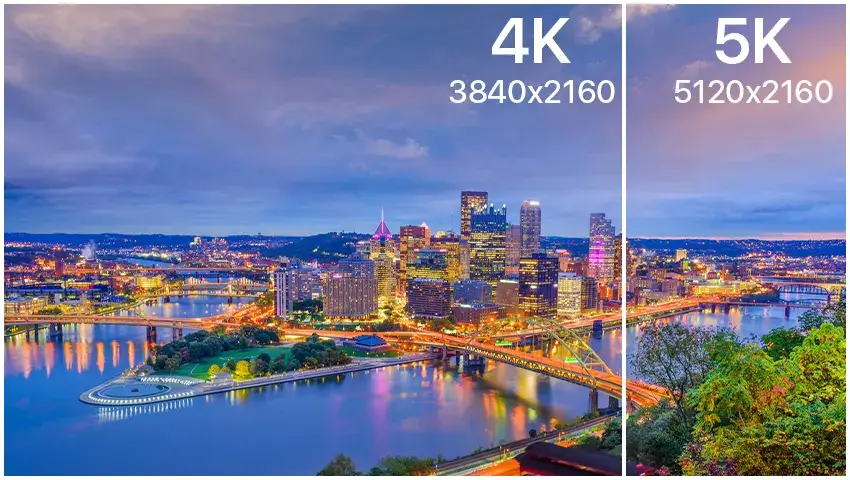
A camera with higher resolution can provide clearer images and make it easier to identify people, vehicles, packages, or other details. Common options include 1080p Full HD, 2K, and 4K cameras.
For general home monitoring, a 1080p camera may be enough. However, if you want clearer details, especially when monitoring entrances, driveways, or larger outdoor areas, a 2K or higher-resolution camera can provide additional detail.
Keep in mind that higher resolution may require more storage space and a stronger network connection. Therefore, it is important to balance image quality with your storage and connectivity needs.
Look for the Right Night Vision
A security camera should be able to provide useful footage not only during the day but also at night.
Traditional infrared night vision can help you monitor dark areas, while newer cameras may offer color night vision under suitable lighting conditions. If you plan to monitor a driveway, backyard, or entrance at night, check how well the camera performs in low-light environments.
Also consider the distance of the night vision. A camera that works well at close range may not provide enough detail for a large driveway or long walkway.
Check Smart Detection Features
Smart detection can make security cameras much more useful by helping you focus on important events.
Instead of receiving an alert every time something moves, cameras with AI-powered detection may be able to distinguish between people, vehicles, pets, or general movement, depending on the model.
For example, if your camera monitors a driveway, vehicle and person detection can help reduce unnecessary notifications caused by trees moving in the wind or other minor activity.
However, detection features vary between cameras. Before purchasing, check exactly what the camera can detect and whether certain features require a subscription or additional service.
Choose the Right Power and Installation Method
Installation is another important consideration.
Wired cameras usually provide continuous power, making them suitable for locations where you want long-term monitoring. Plug-in Wi-Fi cameras can be convenient for homes where a power outlet is available near the installation location.
Battery-powered cameras offer more flexibility because they do not require a nearby power outlet. However, the battery will need to be recharged periodically.
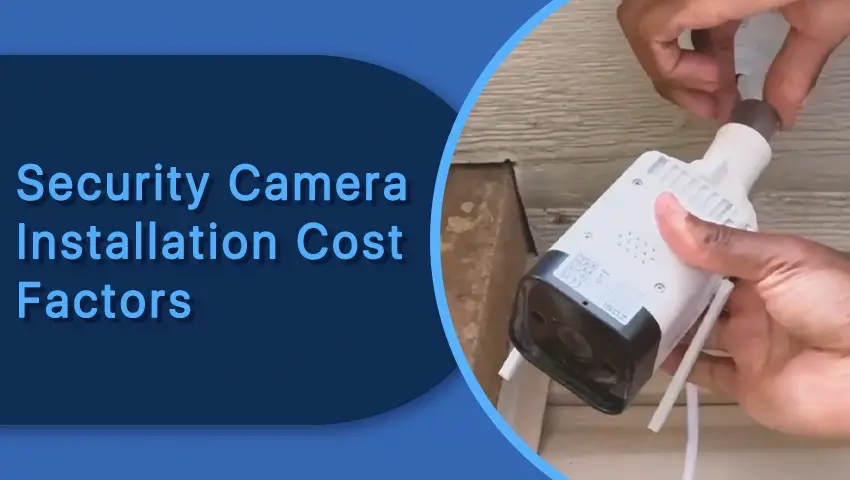
You should also consider how the camera will be mounted. Some cameras are designed for wall or ceiling installation, while others are designed for windows or other specific locations.
Before installation, make sure the camera has a clear view of the area you want to monitor and is positioned at an appropriate height and angle.
Think About Storage Options
Security cameras generally use cloud storage, local storage, or a combination of both.
Cloud storage allows you to access recordings remotely through an app. It can be convenient if you want your footage to remain accessible even if the camera is damaged or removed.
Local storage, such as a Micro SD card, allows recordings to be saved directly on the camera. This can reduce dependence on cloud services, although storage capacity is limited by the size of the card.
When comparing cameras, check whether local storage is supported, whether a Micro SD card is included, and whether cloud storage requires a monthly subscription.
Consider Wi-Fi and Remote Access
If you choose a Wi-Fi security camera, your network connection can directly affect the camera’s performance.
A camera installed far away from your router may experience a weak signal, resulting in delays or interruptions. Before installation, check the Wi-Fi coverage in the area where you plan to place the camera.
Remote access is also an important feature. A good security camera app should allow you to view live video, receive alerts, check recordings, and adjust settings from your smartphone.
If you are installing multiple cameras, consider whether the system can manage all of them through one app. Having multiple cameras managed from a single platform can make daily monitoring easier and more convenient.
Match the Camera to Your Specific Needs
There is no single security camera that is perfect for every home.
If you want to monitor a front door, you may prioritize clear video, person detection, and reliable alerts. For a driveway, a camera with a wider viewing angle and good night vision may be more useful.
For a backyard, outdoor durability and long-range monitoring may be important. For a window, you may want a compact camera that can be installed indoors while clearly monitoring the outdoor area.
Think about the specific problem you want the camera to solve rather than simply choosing the camera with the longest list of features.
You should also consider how often you need to check the camera. If you frequently travel or spend time away from home, features such as remote live viewing and real-time notifications may be especially useful.
FAQs
1. What resolution is best for a home security camera?
For many homes, 1080p provides adequate video quality. If you want more detailed images or need to monitor larger areas, a 2K or 4K camera may be a better option.
2. Do security cameras need Wi-Fi?
Not all security cameras require Wi-Fi. Some systems use wired connections or other network technologies. However, Wi-Fi cameras are convenient for homeowners who want wireless installation and remote access.
3. Can I install a security camera inside a window?
Yes. Some cameras are specifically designed for installation inside a window while monitoring the outdoor area. However, you should check the camera’s design and viewing angle to make sure it can provide a clear image through the glass.
4. How many security cameras does a home need?
The number depends on the size and layout of your property. Start by identifying important areas such as the front entrance, driveway, backyard, side entrance, and other areas you want to monitor. You can then add cameras based on your coverage needs.
Conclusion
Choosing the right security camera for your home starts with understanding what you actually need to monitor. Instead of focusing only on price or the number of features, consider the camera’s location, video quality, night vision, detection capabilities, power source, storage options, connectivity, and monitoring needs.
A camera that works well for a front door may not be the right choice for a large backyard or a window. By matching the camera’s features to your home’s layout and your monitoring needs, you can create a more practical and reliable home security setup.
The goal is not simply to have more cameras, but to have the right cameras in the right places. With careful planning, you can choose a security camera system that makes it easier to monitor your property and stay aware of what is happening around your home.