
Contents
Introduction
Security cameras have become an essential part of modern home and business security. They provide peace of mind, deter crime, and allow you to monitor your property remotely. One of the most common questions when installing a camera system is: how long can security cameras record?
Recording duration depends on several key factors, including video resolution, frame rate (FPS), compression technology, and storage capacity. Understanding how these factors affect recording time helps you plan an efficient system that captures all important events without filling up storage too quickly. In this article, we explain these factors in simple terms, show how to estimate storage needs, and offer practical tips to maximize recording time.
Factors Affecting Recording Time
1. Video Resolution
Video resolution determines the clarity of your footage. Common resolutions include 720p (HD), 1080p (Full HD), 2K, and 4K (Ultra HD). Higher resolution produces sharper, more detailed video, which can be crucial for identifying faces, license plates, or other important details.
However, higher resolution also uses more storage. For example, a 4K video requires roughly four times the storage of a 1080p video. This means if your camera records at 4K instead of 1080p, the storage will fill up faster, reducing overall recording time.
Example:
·A 1080p camera might store around 1 hour of video per gigabyte of storage.
·A 4K camera could store only about 15–20 minutes per gigabyte, depending on compression.
When choosing resolution, think about your needs. For general monitoring, 1080p is usually sufficient. For critical areas, such as entrances or valuable equipment, 4K might be worth the extra storage cost.
2. Frame Rate (FPS)
Frame rate controls how smooth your video appears. Standard frame rates include 15 FPS, 30 FPS, and 60 FPS. Higher FPS produces smoother motion, which is useful for tracking fast-moving objects or capturing precise actions.
However, higher frame rates also consume more storage. Many security cameras balance smoothness and storage by recording at 15–25 FPS, which is usually enough for surveillance purposes.
Tip: If your goal is simply to capture motion for security, lowering the FPS can significantly increase recording time without losing important details.
3. Video Compression
Video compression reduces file size while keeping decent image quality. Common formats include H.264, H.265, and H.265+.
·H.264: Older standard, moderate compression, widely compatible
·H.265: Newer, more efficient, can store about twice as much footage as H.264
·H.265+: Optimized for security cameras, produces smaller files with minimal quality loss
Using H.265 or H.265+ compression can effectively double your recording time, especially if you use high-resolution cameras or have multiple cameras.
4. Storage Type
Security camera footage can be stored in different ways:
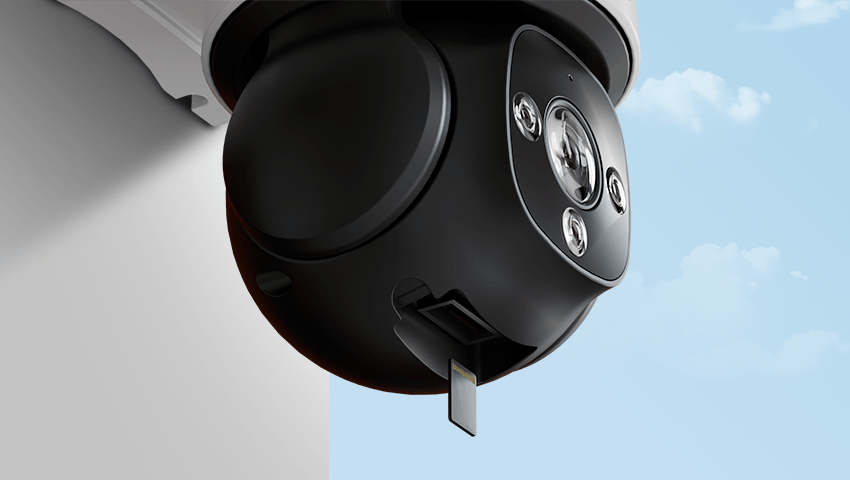
·SD Cards: Easy to use and install but usually have limited capacity
·DVRs (Digital Video Recorders): Common for analog cameras, can store days or weeks of footage
·NVRs (Network Video Recorders): For IP cameras, flexible storage, accessible remotely
·Cloud Storage: Offsite storage, scalable and accessible from anywhere, usually subscription-based
The bigger your storage, the longer your cameras can record. However, storage cost, accessibility, and data security are also important considerations.
Estimating Recording Time
Even without complex formulas, you can get a rough estimate of recording time by considering the following:
1.Know your camera settings: Check the resolution, FPS, and compression type. Higher resolution and FPS use more storage.
2.Check storage capacity: Look at your SD card, DVR, or NVR capacity. Larger storage allows longer recording.
3.Consider multiple cameras: If you have more than one camera, multiply your estimated storage use accordingly.
4.Enable motion detection: This records video only when movement occurs, which can extend recording time significantly.
5.Decide how long you want to keep footage: For example, if you want to keep recordings for 30 days, ensure your storage is sufficient for that duration.
Example:
·A 1080p camera with H.265 compression might record for about 3 days on a 128 GB SD card at normal activity levels.
·If motion detection is enabled in a low-traffic area, the same camera could record for over a week.
By adjusting settings and using motion detection, you can manage storage efficiently without losing important footage.
Tips to Maximize Recording Time
·Use H.265 or H.265+ compression to save space
·Set resolution and FPS according to need; higher is not always better
·Enable motion detection to record only when necessary
·Backup older videos regularly to free up space
·Schedule recording during peak activity instead of 24/7 to extend storage
These strategies help ensure that your cameras capture everything important while making the best use of available storage.
Conclusion
Knowing how long security cameras can record and how to estimate storage needs is essential for an effective security system. Video resolution, frame rate, compression, and storage type are the main factors that determine recording duration. By adjusting these settings, enabling motion detection, and planning storage carefully, you can extend recording time and make sure no important events are missed.
Whether for home or business, proper planning ensures your cameras perform optimally, providing reliable monitoring and peace of mind.
Related Posts
 How Long Do Security Cameras Record: Easy Formula to Calculate & Top Things to Know
 cctv storage calculation formula
 How to Set Up and Record Security Cameras Without a DVR/NVR Introduction
 Cloud Storage IP Camera: Top 7 Things You Need to Know
 A Comprehensive Analysis of 4K Cameras: From Clear Image Quality to the Future of Smart Security