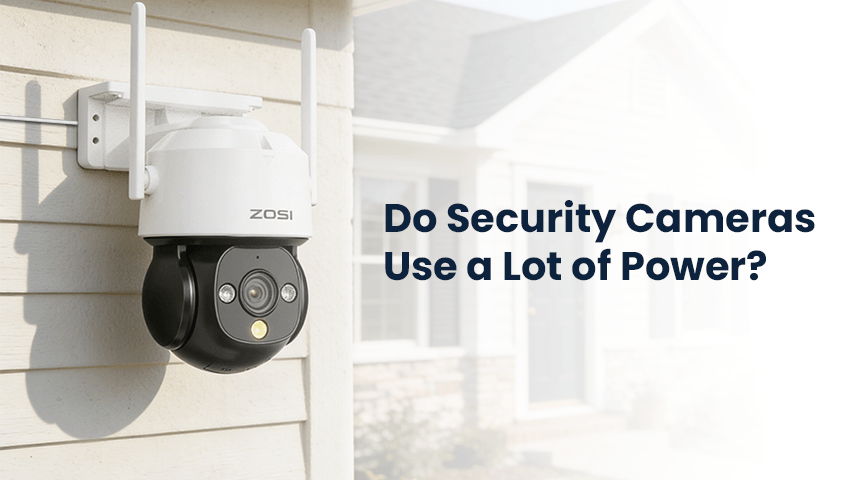
In recent years, home security has become a top priority for many homeowners. With the rise of smart homes and affordable technology, security cameras are now a common feature in residential setups. They provide peace of mind by monitoring entrances, driveways, and other critical areas around the house. However, one question that often arises is: do security cameras consume a lot of electricity? Many people worry that installing multiple cameras could significantly increase their energy bills. In this article, we will explore how much power security cameras actually use, factors that affect their energy consumption, and practical tips for reducing their energy footprint while maintaining a safe and efficient home surveillance system.
Contents
Understanding Security Camera Power Consumption
The power usage of a security camera depends on several factors, including its type, features, and operational mode. Broadly speaking, security cameras can be categorized into wired, wireless, and battery-powered models.
1. Wired Security Cameras
Wired cameras are directly connected to your home’s electrical system or a network video recorder (NVR). These cameras tend to consume a constant amount of power because they operate continuously, recording and transmitting footage. While the individual power usage of a single wired camera is generally modest, using multiple cameras 24/7 can add up over time.
2. Wireless Security Cameras
Wireless cameras, unlike wired ones, often rely on Wi-Fi for transmitting footage. They still need a power source, usually through an adapter plugged into an electrical outlet. Wireless cameras may also include additional energy demands due to data transmission and smart features like motion detection, night vision, and cloud storage. These features, while convenient, can increase energy consumption slightly.
3. Battery-Powered Security Cameras
Battery-operated cameras are typically designed for temporary or remote surveillance where running wires is inconvenient. These cameras are often more energy-efficient since they only activate when triggered by motion. However, they require periodic battery replacement or recharging. The frequency of battery changes depends on usage and camera settings, such as motion sensitivity and recording quality.
Factors That Affect Energy Use
Several technical and operational factors can influence how much power a security camera consumes:
1. Camera Features
Advanced features like high-definition video recording, infrared night vision, pan-tilt-zoom capabilities, and two-way audio can increase energy usage. Cameras that record in 4K or provide continuous video streaming will naturally draw more power than basic models.
2. Recording Mode
Continuous recording consumes more energy than motion-triggered recording. Cameras set to record only when movement is detected reduce unnecessary power usage. This is especially effective for areas with low foot traffic, such as backyards or driveways at night.
3. Connectivity and Storage
Cameras that upload footage to cloud storage use more energy than those storing footage locally on a memory card or NVR. Cloud uploading requires a constant Wi-Fi connection, which adds to energy consumption. Choosing hybrid systems that combine local and cloud storage can balance convenience with energy efficiency.
4. Placement and Environmental Conditions
Cameras installed outdoors or in areas with fluctuating temperatures may consume extra power for heating or cooling features, such as those designed to prevent condensation or maintain optimal operating temperatures. Proper placement can minimize this extra energy demand.
Tips to Save Energy on Home Surveillance
Homeowners looking to maintain security while keeping energy costs low can adopt several strategies:
1. Choose Energy-Efficient Cameras
Modern security cameras are designed with energy efficiency in mind. Look for cameras that have Energy Star certification or advertise low power consumption. Many manufacturers now provide specifications for average electricity usage, helping you make informed decisions.
2. Utilize Motion Detection
Activating motion detection ensures that the camera only records when activity occurs. This reduces the hours the camera is actively using power, significantly lowering energy consumption. You can also adjust motion sensitivity to avoid unnecessary recordings caused by pets, passing cars, or environmental movements like tree branches.
3. Opt for Scheduled Recording
If certain times of the day are low-risk, consider scheduling your cameras to operate only during peak hours. Many home surveillance systems allow users to set custom schedules, which can prevent the cameras from running continuously during times when monitoring is less critical.
4. Reduce Video Resolution When Possible
While high-definition footage provides clearer images, it also requires more energy to process and transmit. For areas that do not require ultra-clear footage, reducing the resolution can save energy. Some cameras offer adaptive video settings that automatically adjust based on lighting or movement conditions.
5. Use Local Storage When Appropriate
Instead of relying solely on cloud storage, which requires continuous data upload, consider local storage solutions like microSD cards or NVRs. This reduces energy usage related to Wi-Fi transmission and may also improve privacy.
6. Regular Maintenance
Dirty lenses or obstructions can force cameras to work harder, using extra power to maintain image quality. Routine cleaning and maintenance ensure the cameras function efficiently. Additionally, ensuring firmware is up to date can improve energy management, as manufacturers often release updates that optimize performance.
7. Consider Solar-Powered Cameras
For outdoor installations, solar-powered security cameras are an excellent option. These cameras use solar panels to recharge batteries during the day, significantly reducing dependence on household electricity. Even in regions with moderate sunlight, solar cameras can be a cost-effective, energy-saving choice.
8. Turn Off Redundant Cameras
Evaluate your surveillance layout to identify areas where cameras may overlap unnecessarily. Reducing the number of redundant cameras not only lowers energy use but can also simplify monitoring and storage management.
Balancing Security and Energy Efficiency
It is important to remember that while energy conservation is valuable, it should not compromise home security. Prioritize strategic camera placement and essential features over excessive or continuous monitoring. For example, key entry points like doors, driveways, and garages may benefit from higher-resolution or always-on cameras, while less critical areas can use motion-activated or lower-resolution models. By combining different camera types and features, homeowners can create a balanced surveillance system that is both secure and energy-conscious.
Conclusion
Security cameras do consume electricity, but their impact on overall energy bills can be managed with smart choices. Factors such as camera type, features, recording mode, and connectivity influence energy use, but homeowners have multiple strategies to reduce consumption. From selecting energy-efficient cameras and enabling motion detection to using local storage and solar-powered options, it is possible to maintain a reliable home surveillance system without excessive power costs. Ultimately, the key is to balance security needs with energy efficiency, ensuring your home remains protected while keeping electricity consumption in check.
Related Posts