Contents
Introduction
When it comes to running a small business, security is a top priority. As a small shop owner, you’re responsible for ensuring that your store is not only safe for your customers but also for your staff and merchandise. One of the most effective ways to safeguard your business is by installing security cameras. These cameras provide peace of mind, help deter crime, and can even be a valuable tool for monitoring store operations.
In this guide, we’ll cover essential tips on setting up and using surveillance cameras in your small shop. Whether you’re installing cameras for the first time or looking to upgrade your current setup, these suggestions will ensure that your security system is effective, affordable, and tailored to your needs.
Choosing the Right Security Cameras
The first step in setting up your security system is selecting the right cameras for your business. There are several factors to consider when choosing cameras, including your budget, the layout of your store, and the level of surveillance you need.
·Indoor vs. Outdoor Cameras: If your store has an outdoor entrance or is located in a high-crime area, outdoor cameras are essential. They are typically weatherproof and designed to withstand the elements. Indoor cameras, on the other hand, focus on capturing activities inside the store, such as customer interactions, employee conduct, and inventory.
·Wired vs. Wireless: Wired cameras tend to provide a more reliable connection, especially in areas where Wi-Fi signals may be weak. Wireless cameras are easier to install, more flexible, and can be placed in locations without the need for additional wiring. However, they rely on your Wi-Fi network, so make sure your connection is stable and secure.
·Resolution: The resolution of your cameras will determine the clarity of the footage. For general surveillance, a 1080p resolution should be sufficient, but if you need to identify faces or capture finer details, consider investing in cameras with higher resolutions, such as 4K cameras.
·Night Vision: Make sure the cameras you choose are equipped with night vision if your store operates after dark. This feature allows cameras to record clearly in low-light conditions, ensuring full coverage at any hour of the day or night.
Strategic Camera Placement
Once you’ve selected the right cameras, the next step is determining where to place them for optimal coverage. Effective camera placement ensures that you capture the necessary footage without blind spots.
·Entry and Exit Points: The most obvious places to install cameras are at the entrance and exit of your store. This allows you to monitor who enters and exits, as well as capture any potential thefts or suspicious activity. Make sure the camera is positioned at a height that can clearly record faces and license plates.
·Cash Register and Point of Sale (POS) Area: The register is one of the most critical areas of your store, as it holds the money and transactions. Placing a camera above or around the cash register provides a record of all transactions, helping you monitor employee conduct and reduce the risk of theft or fraud.
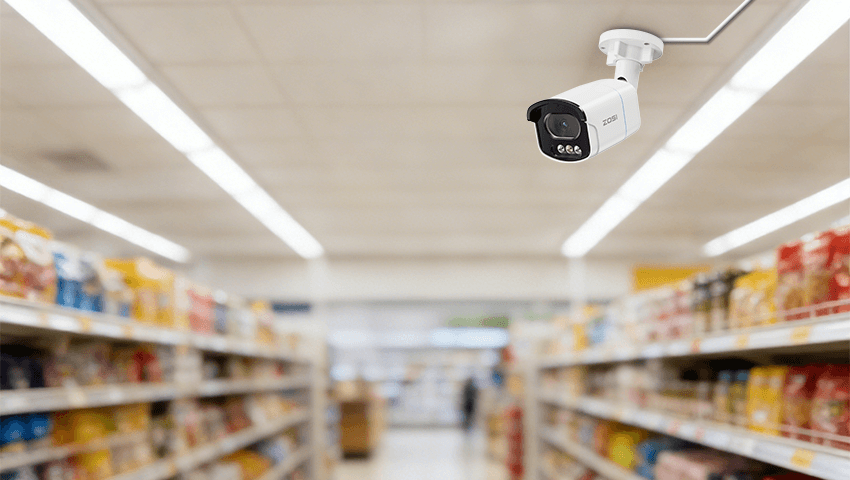
·Aisles and Merchandise Displays: If you have high-value items or areas prone to shoplifting, position cameras to cover these areas. Wide-angle lenses can help cover multiple aisles and product displays, reducing blind spots. Keep the cameras at a height where they can capture potential thefts without being obstructed by shelves or other store elements.
·Storage Rooms and Back Office: If your store has a storage area or back office, it’s important to monitor these spaces as well. These areas are often overlooked in terms of security but are vulnerable to employee theft or unauthorized access. Install cameras in these areas to ensure that inventory and other sensitive materials are protected.
Installing and Configuring Your Cameras
Once you’ve determined the camera placement, it’s time to install and configure your system. If you’re using wired cameras, you may need to hire a professional for installation, but wireless cameras are usually easy to set up on your own. Here’s how to get started:
·Mounting: Ensure that each camera is securely mounted and positioned to cover the desired areas. Cameras should be mounted out of reach to prevent tampering. Use adjustable mounts so you can fine-tune the angle and direction of the camera for optimal coverage.
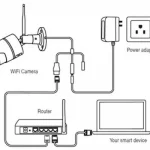
·Power Supply: For wired cameras, make sure that power cables are safely installed and hidden from view to avoid damage. Wireless cameras, on the other hand, need a stable power source (usually batteries or a nearby outlet), so ensure they are placed within range of the power supply.
·Network Connection: For wireless cameras, connect them to your Wi-Fi network. Ensure your router can handle the bandwidth requirements of the cameras without slowing down the network. It’s advisable to use a secure, encrypted network to protect your camera feeds from hackers.
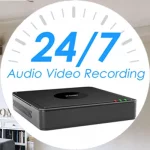
·Storage and Recording: Decide how you want to store your footage. Many security systems offer cloud-based storage, which can be accessed remotely. Alternatively, you can use a digital video recorder (DVR) or network video recorder (NVR) to store the footage locally. Ensure you have enough storage space to retain video footage for at least a few weeks.
·Testing: Before finalizing the installation, test each camera to ensure that it’s functioning properly. Check the video feed to confirm the resolution and field of view are satisfactory. Make any necessary adjustments to the positioning or configuration to eliminate blind spots.
Maintaining and Monitoring Your Camera System
Once your security cameras are set up, it’s important to regularly maintain and monitor your system to ensure its continued effectiveness.
·Regular Updates: Keep the firmware of your cameras up-to-date. Manufacturers release regular software updates to fix bugs, improve performance, and enhance security. Make sure your cameras are running the latest version to avoid vulnerabilities.
·Routine Checks: Periodically check that your cameras are still recording and that they are free of obstructions like dust or spider webs. Clean the lenses regularly to maintain clear visibility. Test the video feed to ensure that the cameras are functioning properly.
·Monitoring Footage: Set up a monitoring system that works for your business. You can either monitor your cameras in real time or review footage at a later time. Many systems allow you to receive alerts on your phone or computer if motion is detected, so you can quickly respond to any potential incidents.
Conclusion
Security cameras are an essential part of protecting your small business, and setting up an effective surveillance system is not as complicated as it may seem. By selecting the right cameras, positioning them strategically, and maintaining your system, you can provide a safe and secure environment for your store. Whether you’re concerned about theft, employee conduct, or simply ensuring the safety of your property, the right security camera setup can give you peace of mind and protect your business for years to come.
With the proper security system in place, you can focus on growing your business, knowing that you’re taking proactive steps to safeguard everything you’ve worked hard to build.
Related Posts