In today’s world, security is a top priority for both businesses and homeowners. When it comes to setting up a CCTV system, two popular options often arise: NVR (Network Video Recorder) and DVR (Digital Video Recorder). Although both are used to record and store video footage, they differ significantly in terms of technology, installation, and performance. Understanding these differences will help you choose the right system for your needs. In this comprehensive guide, we will break down the NVR vs DVR debate and provide insight into which system might be better for your surveillance requirements.
Contents
Introduction
When deciding between NVR and DVR systems, it’s important to grasp how each works. While both can serve similar purposes in recording video feeds from security cameras, they operate on different principles, use different types of cameras, and come with unique advantages and challenges. In this guide, we’ll compare these two systems, explain their individual benefits and drawbacks, and help you determine which one is best suited for your CCTV setup.
What is an NVR (Network Video Recorder)?
An NVR (Network Video Recorder) is a device used in IP-based (Internet Protocol) security camera systems. It records video footage transmitted from IP cameras over a network, typically through Wi-Fi or Ethernet cables. Here are some key points about NVRs:
Network-based: NVRs work with IP cameras that send video data over a network (either local or via the internet).
Digital Signals: Since NVRs handle digital signals, they provide higher-quality video resolution and often support more advanced features, such as remote viewing and cloud storage.
Higher Flexibility: You can place IP cameras anywhere within your network’s range, which gives you more flexibility in camera placement.
In an NVR setup, the video footage is processed and encoded within the camera before being sent to the recorder, allowing the NVR to focus solely on storage and playback.
What is a DVR (Digital Video Recorder)?
A DVR (Digital Video Recorder) is a device used to record video footage from analog security cameras. Unlike NVRs, DVRs are designed to work with coaxial cable-connected analog cameras, and they capture and store footage on hard drives. Here’s a look at DVRs:
Analog-based: DVRs use analog cameras that send analog signals to the recorder for processing and storage.
Lower Resolution: While modern DVR systems support digital recording, the video resolution tends to be lower compared to NVR systems.
Wired Connections: DVR systems typically require coaxial cables to transmit data from the cameras to the recorder, which can limit placement flexibility.
In a DVR setup, the video is processed by the DVR itself. The device converts the analog signal from the cameras into digital footage and stores it on a hard drive.
NVR vs DVR: Key Differences at a Glance
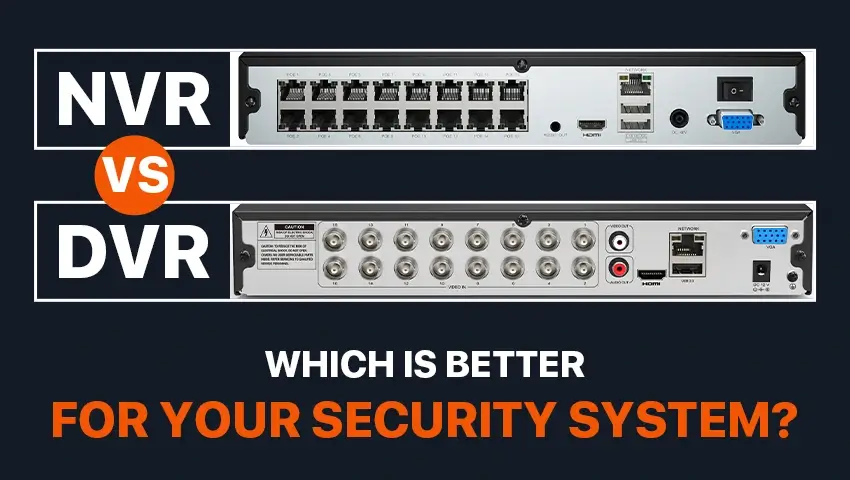
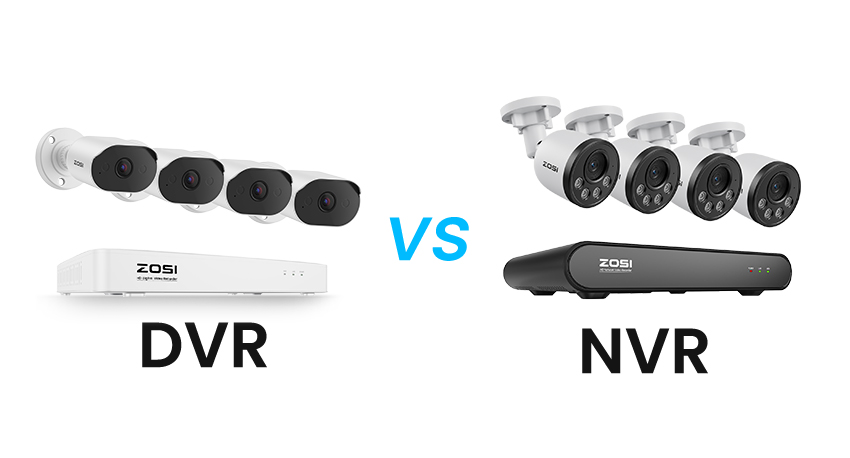
The key difference between NVR and DVR systems is how video data is transmitted and processed. NVR systems work with IP cameras that capture and encode video digitally before sending it over a network via Ethernet or Wi-Fi. DVR systems use analog cameras that send video signals through coaxial cables to the recorder for processing.
In terms of video quality, NVR systems generally offer higher resolutions such as 1080p, 2K, and 4K, while DVR systems are usually limited to lower resolutions. Installation flexibility is another major difference: NVR systems allow more freedom in camera placement thanks to network connectivity, whereas DVR systems are restricted by cable length.
When it comes to remote access and smart features, NVR systems are typically easier to use and support mobile apps and cloud-based viewing. DVR systems can offer remote access as well, but setup is often less convenient. Overall, DVR systems are more budget-friendly, while NVR systems provide better scalability, image quality, and modern features.
The Pros and Cons of NVR and DVR
1. Pros of NVR:
— Better Video Quality: NVRs are designed to handle higher-quality video, including 4K resolution, providing clearer and more detailed footage.
— Remote Access: With IP-based systems, accessing video footage remotely via apps or the cloud is more convenient.
— More Scalability: NVR systems can accommodate more cameras, and expanding your surveillance system is easy by adding more IP cameras to your network.
— Flexibility in Camera Placement: Since NVRs are network-based, cameras can be placed almost anywhere within the network’s range without the restrictions of coaxial cable length.
2.Cons of NVR:
Higher Initial Cost: NVR systems are typically more expensive than DVRs, both for the recorders and the cameras.
Requires Network Infrastructure: A good network (Wi-Fi or Ethernet) is essential for NVR systems to function properly, which may be a limitation in certain environments.
Complexity: Setting up an NVR system can be more complex, especially if you’re unfamiliar with network configurations.
3.Pros of DVR:
Cost-Effective: DVR systems are generally more affordable, both in terms of hardware and installation.
Simple Installation: DVR systems are easier to install for smaller setups since they require fewer components and are often plug-and-play with analog cameras.
Reliable and Proven Technology: DVRs have been around longer and have a well-established track record in surveillance.
4.Cons of DVR:
Lower Video Quality: The video quality of DVR systems is limited compared to NVRs, especially in terms of resolution and clarity.
Limited Camera Placement: Since DVR systems use coaxial cables, camera placement is restricted by the length of the cables.
Limited Scalability: Expanding a DVR system is more difficult and expensive compared to NVRs. You’ll need additional cabling and hardware.
Which System to Choose: NVR or DVR?
Choosing between NVR and DVR depends on your specific needs and budget. Here’s a quick guide:
1.For Higher Quality and Scalability: If you want a system with higher resolution, better flexibility in camera placement, and the ability to scale easily, NVR is the better choice.
2. For Budget-Conscious Users: If you’re looking for a more cost-effective solution and don’t mind lower video quality or fewer placement options, DVR could be a better option.
3. For Remote Access and Ease of Use: If you need easy access to video footage from your mobile device or computer, an NVR system will offer superior remote capabilities.
Best Outdoor Wireless NVR Cameras: A Beginner’s Guide
For beginners, choosing an outdoor wireless camera for an NVR system doesn’t have to be complicated. The first thing to consider is video resolution. Cameras with at least 1080p resolution can provide clear and useful footage for monitoring outdoor areas like entrances, yards, or driveways.
Next, pay attention to wireless connectivity. A stable Wi-Fi connection is essential for smooth video transmission. Some cameras also support Ethernet connections, which can be helpful if the wireless signal is weak or unstable.
Night vision is another must-have feature for outdoor security. Look for cameras with infrared night vision or enhanced low-light performance to ensure clear monitoring after dark.
Since the camera will be used outdoors, weather resistance is very important. Cameras with a solid build and proper weather protection can operate reliably in rain, dust, and changing temperatures.
Lastly, beginner-friendly features such as motion detection, mobile app access, and instant alerts make the system easier to use and manage. These features help users stay informed without needing technical knowledge.
By focusing on these basic points, beginners can choose an outdoor wireless NVR camera that is easy to install, reliable, and suitable for everyday security needs.
Other Considerations for NVR vs DVR CCTV Systems
— Storage Capacity: When choosing between NVR and DVR systems, consider how much video storage you need. NVRs are more flexible, allowing you to store footage on the cloud or external drives, while DVRs rely solely on local hard drives.
— Resolution Needs: If you require high-resolution video for detailed monitoring (such as facial recognition or license plate reading), NVR systems will be a better fit due to their support for higher-quality cameras.
Bonus Tips for Optimizing Your CCTV System with NVR or DVR
— Ensure Proper Placement: Position cameras where they have a clear view of the areas you want to monitor, ensuring they are not obstructed by trees, buildings, or other obstacles.
— Regularly Test Your System: Perform routine checks to ensure all cameras and recorders are functioning properly.
— Invest in Backup Power: Having an uninterruptible power supply (UPS) for your NVR or DVR system can prevent downtime during power outages.
FAQs: NVR vs DVR Systems
Q: Can I use NVR with analog cameras?
A: No, NVRs are specifically designed for IP cameras. If you want to use analog cameras, you’ll need a DVR.
Q: Which system offers better video resolution?
A: NVR systems generally offer better video resolution, with many models supporting up to 4K.
Q: Can I access my footage remotely?
A: Yes, both NVR and DVR systems can support remote access, but NVRs typically offer easier and more reliable remote viewing options.
Conclusion:
In conclusion, the decision between NVR vs DVR ultimately comes down to your needs, budget, and desired video quality. If you’re looking for flexibility, higher video resolution, and scalability, an NVR system is the way to go. On the other hand, if you’re on a budget and need a simpler solution, a DVR system might be the better choice. Consider all factors carefully before making your decision to ensure your CCTV system serves you well for years to come.