
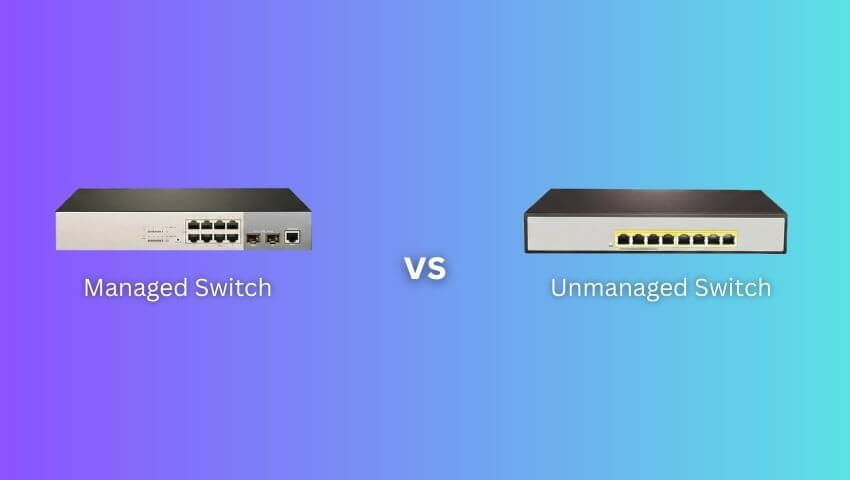
Your network switch may not be the most visible part of your security camera setup, but it plays a crucial role in how smoothly your system performs. From delivering stable PoE power to ensuring your cameras stream high-quality video without interruption, choosing between a managed and unmanaged switch determines the reliability, scalability, and security of your whole surveillance network.
This guide breaks down the basics, differences, real-world effects, and recommended use cases—helping ZOSI users pick the right option confidently.
Contents
Basics: What Are Managed and Unmanaged Switches?
Unmanaged Switch — Simple, Plug-and-Play
An unmanaged switch is designed for simplicity:
• Works out of the box with no configuration
• Automatically forwards data between connected devices
• Often includes PoE versions to power IP cameras
• Best for small home networks or users who want “set it and forget it”
Think of it as a power strip for Ethernet—just plug everything in and the network works.
Managed Switch — Configurable, Controllable, Professional
A managed switch offers full control over your network:
• Can configure VLANs, QoS, PoE settings, bandwidth limits, security rules, and more
• Provides detailed monitoring and troubleshooting tools
• Used in business, enterprise, and complex surveillance networks
Think of it as a smart control panel that lets you shape your network exactly the way you need.
Differences Between Managed and Unmanaged Switches
1. Core Technique
A) VLAN (Virtual LAN)
Unmanaged: No VLAN support — all devices are on the same broadcast domain.
Managed: You can separate traffic (e.g., cameras in one VLAN, guest Wi-Fi in another).
Why it matters: VLANs isolate camera traffic to reduce congestion and improve security (so visitor devices can’t access cameras or NVRs directly).
B) QoS (Quality of Service)
Unmanaged: No traffic prioritization.
Managed: Prioritize video streams and control bandwidth per port.
Why it matters: Ensures live view and recorder uploads stay smooth even when the network is busy.
C) PoE management
Unmanaged: Provides power on PoE ports but can’t monitor usage or limit power per port.
Managed: Monitor power consumption, enable/disable PoE per port, see PoE faults.
Why it matters: Helpful for detecting a failing camera, preventing overload on the switch, and scheduling power cycles remotely.
D) Monitoring & Troubleshooting (SNMP, port statistics, syslog, port mirroring)
Unmanaged: No statistics, no remote diagnostics.
Managed: View port traffic, errors, uptime; mirror a camera’s stream to recorders or analyzers.
Why it matters: Cuts time to find which camera dropped or which cable is bad.
E) Redundancy & Topology Control (RSTP, link aggregation)
Unmanaged: No STP/RSTP or link aggregation.
Managed: Protects against network loops and allows higher aggregated bandwidth between switches.
Why it matters: Prevents network storms that can take down many cameras; link aggregation helps with recorder-to-switch uplinks in busy systems.
F) Security features (port security, ACLs)
Unmanaged: Minimal security — mostly physical security.
Managed: Restrict which MAC addresses can use ports, create ACLs, disable unused ports.
Why it matters: Reduces risk of unauthorized devices accessing your camera network.
2. Cost
Unmanaged → Lower cost
Managed → Higher upfront price (due to advanced components and software)
However, for medium/large surveillance systems:
• Managed switches can reduce maintenance costs
• Save on-site troubleshooting time
• Prevent network downtime
For businesses, long-term value often outweighs the higher initial cost.
3. Scalability
Unmanaged
• Good for 1–8 devices
• Hard to expand without causing congestion or broadcast issues
Managed
• Scale to dozens or hundreds of devices
• Organize devices with VLANs
• Use link aggregation for higher uplink bandwidth
• Suitable for multi-floor or multi-building setups
4. Network Security
Unmanaged
• No way to isolate camera traffic
• Guest devices and cameras share the same network
Managed
• Create isolated camera VLANs
• Apply port security
• Reduce attack surface for NVRs and IP cameras
For any commercial environment, security is a major reason to choose managed switches.
5. Reliability & Uptime
Unmanaged
• Works fine but troubleshooting is manual
• Can’t check which port is failing
• No redundant link support
Managed
• Prevent downtime using STP/RSTP
• Monitor port errors and PoE problems
• Remote diagnostics shorten downtime
For systems with 10+ cameras, reliability needs often justify managed switches.
F) Ease of Use
Unmanaged
• Easiest, zero configuration
• True plug-and-play
Managed
• Requires some networking knowledge
• Setup may need IT skills
• Modern “Smart Managed” models are easier with web GUIs
What Are the Benefits of the Right Switch?
Better Stability
Managed switches prevent packet loss and provide consistent bandwidth for high-resolution cameras (like 4MP, 5MP, 4K ZOSI models).
Easier Troubleshooting
If one camera goes offline:
• Unmanaged → check cables one by one
• Managed → log in, see which port dropped instantly
Huge time saver for installers.
Higher Quality Live View & Playback
QoS ensures that:
• Video streams get priority
• NVR uploads stay smooth
• Remote viewing performance improves
Stronger Security
With VLAN isolation, camera feeds stay protected from Wi-Fi users and visitor devices.
Which One Should You Choose?
Choose an Unmanaged Switch If:
• You’re installing a small home system (1–8 cameras)
• You want the lowest cost
• You don’t need traffic segmentation or special rules
• You prefer plug-and-play simplicity
Choose a Managed Switch If:
• You’re deploying 8+ cameras
• It’s for a business, shop, or office
• You need VLANs for security
• You want remote PoE reboot for cameras
• You want long-term scalability
• You have mixed traffic (like POS + cameras + Wi-Fi)
FAQs
1. Can I mix managed and unmanaged switches in one system?
Yes, but keep cameras on the managed switch if possible for monitoring and PoE control.
2. Do managed switches require expert skills?
Basic setups are easy with GUI. Only advanced setups need IT skills.
3. Does a managed switch improve video quality?
Indirectly—by preventing congestion, reducing packet loss, and prioritizing camera traffic.
Conclusion
Choosing between a managed and unmanaged switch depends on the size, complexity, and security needs of your surveillance setup. Unmanaged switches keep things simple for small home systems, while managed switches deliver the stability, control, and scalability required for business and multi-camera environments. Understanding these differences will help you build a more reliable and secure ZOSI camera network—now and in the future.
Related Posts
 Trail Camera vs. Security Camera, Which is Better for Home Security?
 4K vs 1080p: Which Security Camera Resolution is Best for You?
 UHD vs QHD: Which Security Camera Is Better?
 UTP vs STP: Choosing the Right Cable for Your Security Camera System
 From 1080p to 1440p: What Upgrading Your Security Camera Resolution Brings