
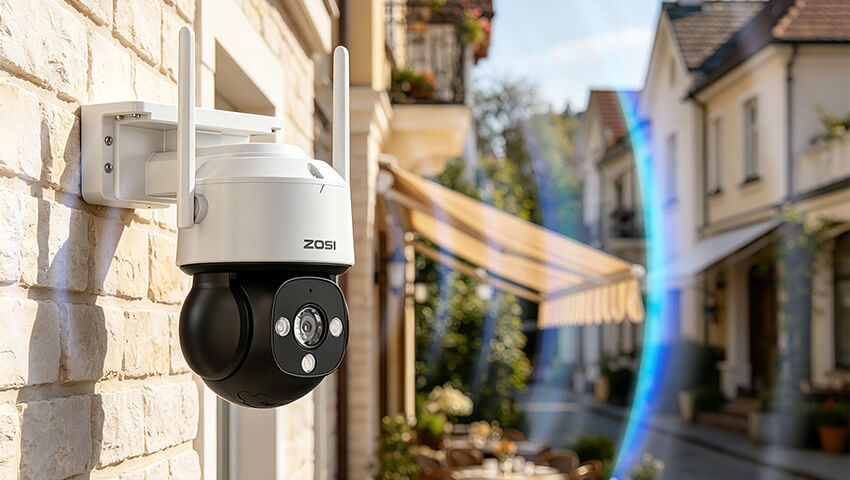
Security cameras depend on a stable WiFi connection to deliver real-time video, transmit alerts, and ensure continuous recording. Unlike general internet browsing or streaming, surveillance systems require consistent bandwidth and low latency.
When the WiFi signal is weak or unstable, it can result in:
Delayed or missed motion alerts
Frozen or lagging live view
Interrupted video recording
Reduced video quality or bitrate
Camera disconnections or offline status
For security purposes, reliability is more important than peak internet speed. A stable connection ensures that no critical moment is missed.
Contents
How WiFi Signal Affects Camera Performance
To understand optimization, it is important to understand what actually impacts performance.
Signal Strength (RSSI)
WiFi strength is often measured in dBm:
Strong: -30 to -60 dBm
Acceptable: -60 to -65 dBm
Weak: below -70 dBm
Security cameras typically begin experiencing instability below -65 dBm.
Interference
Even with strong signal strength, interference can degrade performance. Interference causes packet loss, which leads to video freezing or delays.
Latency
Latency is the delay between motion occurring and it appearing in the live feed. High latency reduces real-time monitoring effectiveness.
Tip 1: Optimize Router Placement
Router placement has a major impact on overall camera performance.
Recommended placement guidelines:
Place the router in a central location in the home
Keep it elevated above ground level
Ensure it is in an open area, not enclosed in cabinets
Position antennas vertically or slightly angled for broader coverage
Avoid:
Placing routers in corners or basements
Enclosing routers inside furniture
Positioning near large metal objects or reinforced walls
WiFi signals spread outward in all directions, so central positioning ensures more even coverage.
Tip 2: Minimize Physical Barriers and Signal Loss
WiFi signal strength is heavily affected by building materials.
Signal reduction by materials:
Drywall: low impact
Wood: moderate impact
Glass with metal coating: high impact
Brick or concrete: very high impact
Reinforced concrete: extreme impact
Each wall can reduce signal strength significantly. In some cases, multiple walls can make even a nearby camera unstable.
Tip 3: Choose the Correct WiFi Band
Most modern security cameras support dual-band WiFi.
2.4GHz band:
Greater coverage range
Better penetration through walls
More prone to interference
Ideal for outdoor or distant cameras
5GHz band:
Faster data transfer
Lower interference
Shorter range
Best for indoor or nearby cameras
Recommended usage:
Outdoor cameras: 2.4GHz
Indoor cameras close to router: 5GHz
Tip 4: Reduce Wireless Interference
Interference is one of the most common causes of unstable camera connections.
Common sources include:
Microwave ovens
Bluetooth devices
Cordless phones
Baby monitors
Neighboring WiFi networks
Solutions:
Change WiFi channel (for 2.4GHz, channels 1, 6, and 11 are preferred)
Move router away from electronic appliances
Use 5GHz band where possible
Reduce overlapping wireless devices in the same area
Tip 5: Upgrade Your Router
The router plays a central role in camera performance. Even high-quality cameras cannot perform well on weak networking hardware.
Recommended upgrades:
Dual-band routers (2.4GHz + 5GHz)
WiFi 6 routers for improved multi-device handling
High-gain antennas for extended coverage
A modern router is especially important when multiple cameras and smart devices are connected simultaneously.
Tip 6: Extend Coverage with WiFi Extenders or Mesh Systems
When cameras are installed far from the router, signal degradation is inevitable without extension solutions.
WiFi extenders:
Simple and cost-effective
Extend existing network coverage
May slightly increase latency
Mesh WiFi systems:
Multiple nodes create seamless coverage
Better stability than extenders
Ideal for large homes or multi-floor environments
Mesh systems are generally the most reliable solution for security camera networks.
Tip 7: Optimize Camera Network Settings
Adjusting camera settings can improve stability when network conditions are limited.
Recommended adjustments:
Reduce bitrate instead of lowering resolution
Enable adaptive streaming if supported
Use motion-triggered recording instead of continuous recording when necessary
Keep firmware updated for performance improvements
Modern smart cameras often adjust stream quality automatically based on available bandwidth.
Tip 8: Manage Household Bandwidth Usage
Security cameras compete with other devices for bandwidth.
High-bandwidth activities include:Streaming services
Online gaming
Video conferencing
Large file downloads
Optimization strategies:
Enable QoS (Quality of Service) on the router
Prioritize security camera traffic
Schedule heavy internet usage during off-peak hours
Upgrade internet plan if multiple devices are heavily used
Tip 9: Consider Wired or Hybrid Solutions
For users requiring maximum stability, wired solutions may be more suitable.
Ethernet (PoE) cameras:
Fully stable connection
No wireless interference
Ideal for critical surveillance areas
Hybrid systems:
Combination of wired and wireless devices
Flexible installation options
Suitable for mixed indoor and outdoor environments
Troubleshooting Checklist
Use the following checklist to diagnose WiFi issues:
Router is centrally located
Camera is within reasonable range
Minimal physical obstructions exist
Correct frequency band is used
No major interference sources nearby
Router firmware is updated
Network is not overloaded
Extender or mesh system is installed if needed
Conclusion
Improving WiFi performance for security cameras requires a combination of proper placement, correct hardware, interference management, and network optimization. While individual improvements may seem small, together they significantly enhance stability and reliability.
A well-optimized WiFi network ensures smooth video streaming, faster alerts, and uninterrupted surveillance coverage, which is essential for any security system.
Related Posts
 How to Choose the Best Outdoor PTZ Camera for Your Property
 Infrared Thermal Sensors: Accurately Improve the Alarm Efficiency of Surveillance Cameras
 Do Security Cameras Use a Lot of Power? Tips to Save Energy on Home Surveillance
 How to Install Garage Security Cameras for Best Coverage
 How to Prevent WiFi Jamming: Top Tips to Keep Your Network Secure