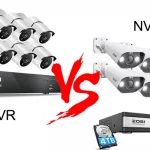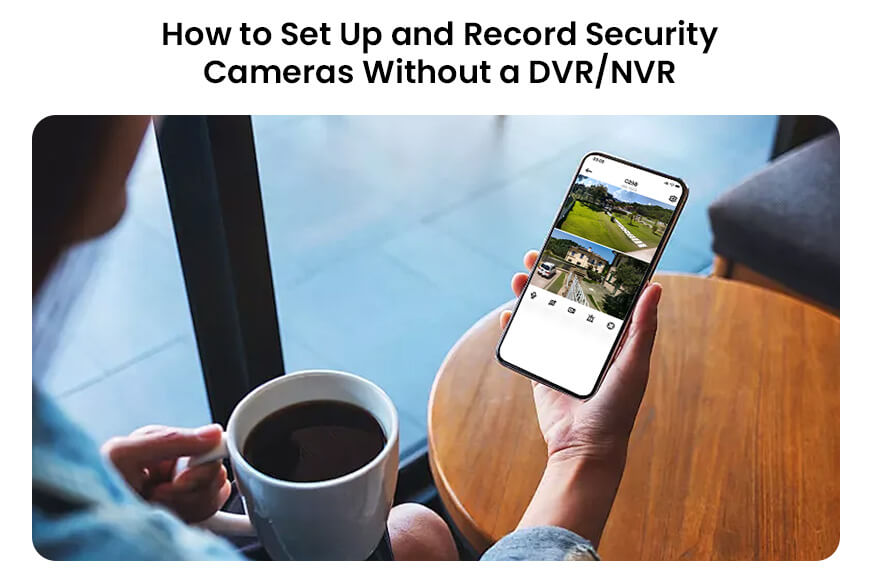
Security cameras have become an essential part of modern home and business security systems. Traditionally, most surveillance setups require a Digital Video Recorder (DVR) or Network Video Recorder (NVR) to store and manage video footage. However, advances in technology have made it possible to set up and record security cameras without the need for these devices. Whether you are looking to simplify your system, reduce costs, or avoid complicated installations, using cameras without a DVR/NVR can be a practical solution. In this guide, we will explain the process, explore the types of cameras suitable for this setup, and provide tips to ensure you get reliable recording and remote access.
Contents
Understanding Cameras Without DVR/NVR
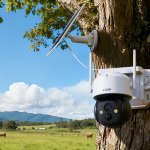
Security cameras that operate without a DVR or NVR typically fall into two main categories: standalone IP cameras and Wi-Fi cameras with cloud or local storage. Unlike traditional analog cameras, these modern devices can record directly to a memory card (such as a microSD card) or upload footage to cloud storage. Some models also support peer-to-peer connections, enabling users to access live feeds through a smartphone app or computer.
Standalone IP Cameras
Standalone IP cameras are network-enabled devices that can connect directly to your home or office Wi-Fi or Ethernet network. They often come with built-in storage options like a microSD card slot, which allows them to record video independently. Some advanced models also feature motion detection, two-way audio, night vision, and high-definition video, making them highly versatile.
Wi-Fi Cameras with Cloud Storage
Wi-Fi cameras with cloud storage bypass the need for local storage entirely. They upload recorded footage to a secure online server, which can be accessed anytime via a mobile app or web portal. While cloud storage may involve a subscription fee, it offers the advantage of remote access and protection against theft or damage to the camera.
Equipment Needed
Before setting up your system, you will need a few essential items:
1.Security Camera – Choose a camera that supports standalone operation, either with local storage or cloud storage capabilities.
2.Memory Card (Optional) – If your camera supports local storage, a microSD card is necessary to record and store video.
3.Stable Wi-Fi Network – Ensure your home or office network is reliable for smooth video streaming and remote access.
4.Power Supply – Most cameras require either a direct power adapter or PoE (Power over Ethernet) for wired models.
5.Mobile App or Computer Software – This is used to configure the camera, access live footage, and manage recorded video.
Step-by-Step Setup Guide
1. Choose the Location
Select the best locations for your cameras based on security needs. Focus on high-traffic areas, entrances, and vulnerable spots. Ensure each camera has a clear field of view and access to a power source if necessary. If using Wi-Fi cameras, check the signal strength at the location to avoid connectivity issues.
2. Install the Cameras
For Wi-Fi cameras, simply mount them using the included brackets or stands. For wired cameras, you may need to run Ethernet cables if the camera uses PoE. Make sure cameras are positioned to minimize glare and obstructions while maximizing coverage.
3. Insert Storage
If your camera supports local recording, insert a microSD card of adequate capacity. Depending on video resolution and recording duration, you may need a card ranging from 32GB to 256GB. Some cameras support loop recording, which automatically overwrites the oldest footage when the card is full.
4. Connect to Network
Follow the manufacturer’s instructions to connect the camera to your Wi-Fi or Ethernet network. This usually involves downloading the camera’s app, scanning a QR code on the camera, and entering your network credentials. Ensure the camera successfully connects and is accessible through the app.
5. Configure Recording Settings
Adjust recording settings according to your needs. Options often include continuous recording, motion detection, or scheduled recording. Motion detection can save storage space and make reviewing footage easier, as the camera only records when movement is detected.
6. Test and Monitor
Once installed, test each camera to ensure proper operation. Check the live feed through your app, verify recordings are stored correctly, and adjust angles if necessary. Periodically monitor footage to ensure everything works as intended.
Benefits of a DVR/NVR-Free Setup
1.Cost-Effective – Eliminates the need to buy expensive DVR/NVR units and additional wiring.
2.Simpler Installation – Reduces complexity and setup time, especially for DIY installations.
3.Remote Access – Many modern cameras provide easy access to live and recorded footage via mobile apps.
4.Scalability – Adding more cameras does not require upgrading a central DVR/NVR.
5.Flexibility – Cameras can be easily moved or repositioned without rewiring.
Considerations and Limitations
While a DVR/NVR-free system has many advantages, there are some limitations to consider:
·Storage Limitations – MicroSD cards may fill up quickly, especially with high-resolution footage. Cloud subscriptions may be required for long-term storage.
·Network Dependence – Wi-Fi cameras rely on a stable network; poor connectivity can lead to missed recordings or lag.
·Limited Multi-Camera Management – Some apps may struggle with managing multiple cameras compared to a centralized NVR system.
·Security Concerns – Ensure proper encryption and secure passwords to prevent unauthorized access.
Conclusion
Setting up and recording security cameras without a DVR or NVR is now easier than ever, thanks to advancements in standalone IP cameras and cloud-based solutions. This approach is ideal for homeowners or small businesses looking for a simple, flexible, and cost-effective surveillance system. By carefully choosing the right cameras, installing them strategically, and configuring recording settings properly, you can enjoy reliable monitoring and peace of mind without the complexity of traditional DVR/NVR systems. As technology continues to evolve, standalone camera systems will likely become even more user-friendly and feature-rich, making security accessible to everyone.
Related Posts