Contents
Why Home Security Camera Privacy Matters
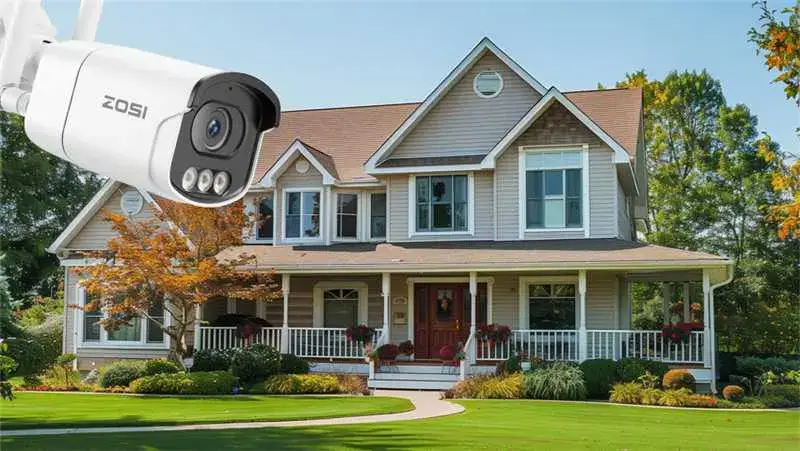
Home security cameras have become an essential part of modern households. They provide peace of mind, allowing homeowners to monitor their property, check on deliveries, or keep an eye on children and pets. However, with this convenience comes a significant concern: privacy.
Security cameras capture more than just potential threats—they record your home environment, daily routines, and personal moments. If this data falls into the wrong hands, it can lead to identity theft, burglary, or other privacy violations. Understanding how to protect your camera footage and choosing secure systems are crucial steps in safeguarding your home and personal information.
In this guide, we’ll explore how footage is protected, best practices to secure your data, common threats, emerging technologies, questions to ask providers, and answers to frequently asked questions. Following these steps ensures your home remains safe without compromising your privacy.
How Security Camera Footage Is Protected
Reputable security systems implement multiple layers of protection, combining technology, policy, and compliance measures.
1.Data Encryption
Encryption is essential for protecting footage both in transit and in storage. When data is encrypted, it is transformed into unreadable code that only authorized users can decode. Advanced systems typically use AES-256 or equivalent protocols, making it nearly impossible for hackers to access your video data.
2.Firmware and Software Updates
Regular updates are critical to security. Providers continuously improve their software to patch vulnerabilities and enhance encryption. Users should promptly install updates to ensure the camera system remains protected from emerging threats.
3.Multi-Factor Authentication (2FA)
Passwords alone aren’t sufficient. Two-step verification, or multi-factor authentication, adds a second layer of protection. Even if a hacker obtains your password, they cannot access your account without a second factor, such as a one-time code sent to your phone or generated by an authenticator app.
4.Compliance with Privacy Laws
Many security camera providers adhere to privacy regulations such as GDPR in the EU or CCPA in California. These laws dictate strict rules for data handling, giving users the right to access, delete, and control their footage. Choosing a provider that complies with such regulations ensures your privacy rights are respected.
5.Limited Data Collection and Transparency
Top providers minimize the data they collect and allow users to manage how footage is stored and shared. Features like opting out of analytics or AI data training ensure your data remains private while still benefiting from smart security features.
Best Practices to Keep Your Security Footage Safe
While providers offer protection, homeowners also play a vital role in safeguarding their data.
Use Strong, Unique Passwords
Avoid using easily guessable information like birthdays, names, or pet names. A strong password combines letters, numbers, and symbols. Consider using a password manager to store complex passwords safely.
Enable Two-Step Authentication
Always activate two-step authentication for added protection. This ensures that only authorized users can access your account and view your footage.
Secure Your Home Wi-Fi Network
Your network is the backbone of your camera system. Use strong, unique passwords, regularly update your router firmware, and disable guest networks when not in use to reduce vulnerability.
Beware of Phishing Scams
Hackers often use social engineering to steal credentials. Avoid clicking links or providing sensitive information in unsolicited emails or messages. Verify requests with your provider before taking any action.
Respect Others’ Privacy
Be mindful of your neighbors when installing cameras. Avoid pointing cameras into areas where people expect privacy, such as windows or backyards, to prevent legal issues and disputes.
Questions to Ask Your Security Camera Provider
Before choosing a provider, ask these important questions:
Do they sell or share user data? Ensure your footage is not monetized without consent.
How is user data used? Confirm whether footage is used for analytics, AI training, or other purposes.
What certifications do they hold? Certifications like SOC II and PCI indicate strong security standards.
What are the data retention policies? Knowing how long footage is stored and your control over deletion is essential.
Common Security Threats to Watch Out For
Understanding common threats helps you stay vigilant:
Hacking and Unauthorized Access
Weak passwords or outdated firmware can allow hackers to gain access to your cameras. Ensure devices are updated and use strong authentication.
Phishing and Social Engineering
Attackers may impersonate your provider to steal login credentials or personal information. Always verify communications before taking action.
Network Vulnerabilities
Unsecured Wi-Fi networks or routers can be exploited to intercept footage. Regularly updating router firmware and using strong passwords mitigates this risk.
Emerging Technologies and Privacy Considerations
Security cameras are becoming smarter, introducing features that require careful privacy management.
AI-Assisted Video Analytics
Some cameras use AI to detect motion, recognize objects, or even identify faces. While convenient, these features can increase privacy risks if data is misused or shared without consent.
Facial Recognition and Smart Detection
Features like facial recognition can enhance security but also raise ethical concerns. Users should ensure these features are opt-in and understand how data is stored and used.
Balancing Innovation with Privacy
Enjoying advanced security features doesn’t mean compromising privacy. Opt for providers that prioritize transparency, allow control over AI and analytics settings, and store data securely.
FAQ
Who can view my footage?
Only authorized account users can access footage. Providers typically do not monitor your cameras unless part of a professional monitoring service.
How long is footage stored?
Cloud systems retain footage for a set period, after which it is deleted. Local storage (like SD cards) often operates on a loop.
Can provider employees access footage?
No, unless you grant explicit permission or legal obligations require it.
Is footage admissible in court?
Yes. Footage can be used as evidence if subpoenaed, under a warrant, or voluntarily provided.
Can law enforcement request access?
Law enforcement can only access footage via legal processes such as warrants or subpoenas. Voluntary sharing is also possible.
Conclusion
Home security cameras offer convenience and peace of mind, but protecting your privacy requires diligence. Security providers implement encryption, updates, and privacy policies, while homeowners must maintain strong passwords, enable multi-factor authentication, secure networks, and remain alert to scams.
By understanding risks, asking the right questions, and following best practices, you can enjoy the benefits of home security cameras while safeguarding your personal privacy and respecting others’. Protecting your footage is a shared responsibility—take proactive steps today to keep your home safe.