
| As security cameras become a standard part of home and business protection, many users start to consider their long-term operating costs. One of the most common concerns is whether running cameras continuously will lead to a noticeable increase in electricity bills.The short answer is no—most modern security cameras are designed to be energy-efficient and consume relatively little power. However, the exact consumption depends on several technical and usage factors. This article provides a detailed breakdown of how much electricity security cameras use, what affects their consumption, and how to estimate and reduce operating costs.
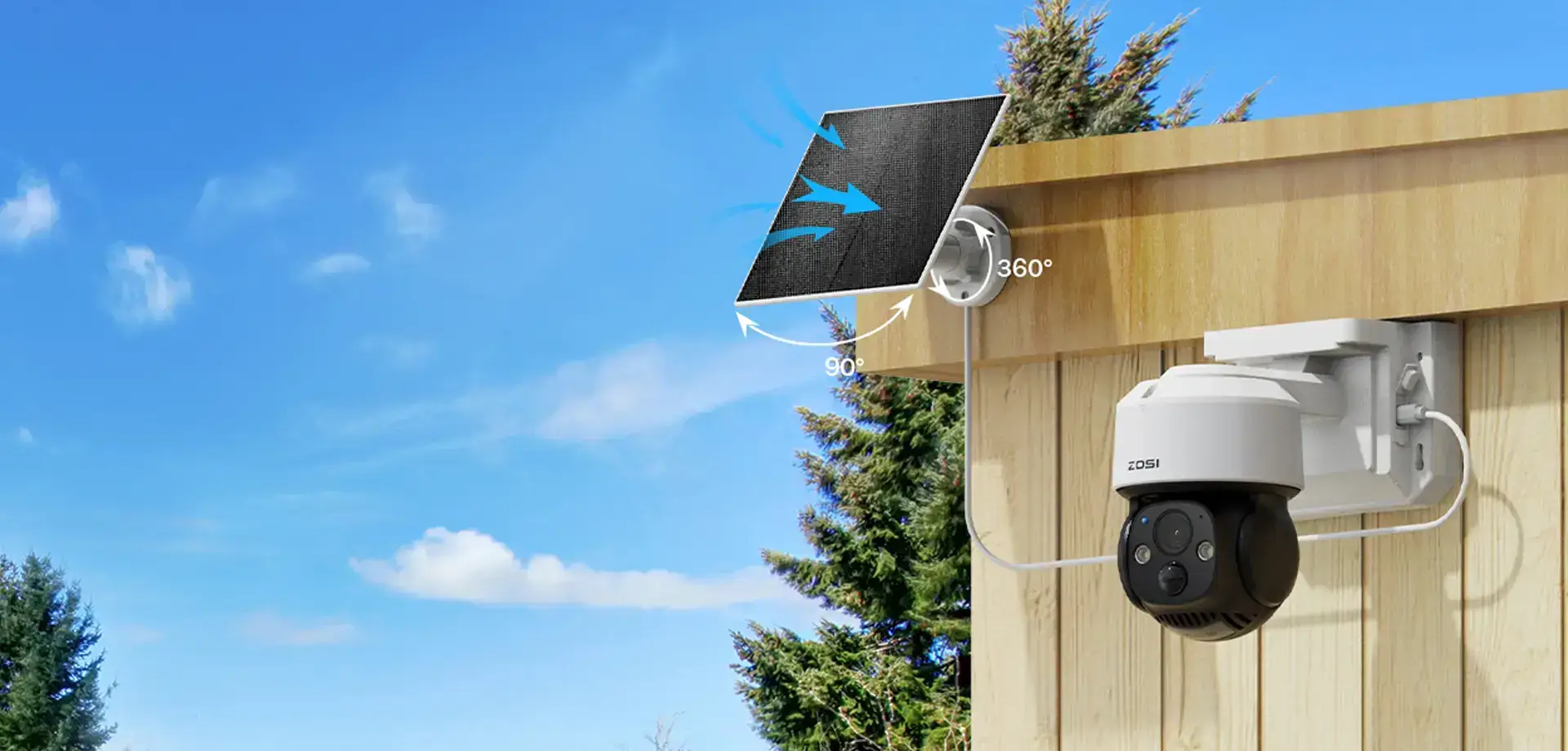
How Much Electricity Do Security Cameras Use?Security cameras typically operate within a low power range compared to most household appliances. Typical Power Consumption by Camera Type Basic indoor cameras: 2–5 watts These values represent continuous operation. For comparison: LED light bulb: 8–12 watts Even high-performance security cameras consume significantly less electricity than most common devices. Calculating Electricity Usage and CostTo understand real-world impact, it helps to convert power usage into energy consumption and cost. Basic Formula Example: Single Camera Power: 10W Daily usage: 24 hours Daily consumption: 10 ÷ 1000 × 24 = 0.24 kWh Monthly consumption: 0.24 × 30 ≈ 7.2 kWh Yearly consumption: 0.24 × 365 ≈ 87.6 kWh Estimated Cost (Europe Average) Assuming €0.30 per kWh: Monthly cost: 7.2 × 0.30 ≈ €2.16 Yearly cost: 87.6 × 0.30 ≈ €26.28 This demonstrates that even a continuously running camera adds only a small amount to the electricity bill. Factors That Affect Power Consumption1. Resolution and Processing LoadHigher resolution cameras (e.g., 4K) require more processing power for image capture, encoding, and streaming. This increases energy usage slightly, though improvements in chip efficiency have reduced the gap. 2. Night Vision TechnologyInfrared (IR) LEDs consume moderate power when active at night Nighttime operation can therefore increase overall consumption, especially for outdoor cameras. 3. Recording ModeContinuous recording (24/7): steady power draw Systems with smart detection can significantly optimize energy use. 4. Connectivity TypePoE (Power over Ethernet): efficient, single-cable power and data transmission 5. Mechanical FeaturesCameras with moving components, such as pan-tilt or auto-tracking, consume additional power during operation, though typically only in short bursts. 6. Additional FunctionsFeatures such as: AI detection These features increase power usage, but usually only when triggered rather than continuously. Wired vs Wireless vs Battery CamerasWired (PoE) Systems • Designed for continuous operation WiFi Cameras • Flexible installation Battery-Powered Cameras • Operate in low-power standby mode Solar-Powered Cameras • Use solar panels to recharge batteries A practical example is the ZOSI C291 4MP Wireless Battery-Powered Camera, which is designed for low-power operation combined with solar charging support. Low-power standby + motion activation: Conserves energy by recording only when necessary This type of setup is especially useful for: Remote or off-grid locations While performance depends on sunlight availability and usage frequency, a well-positioned solar-powered camera system can operate with little to no impact on your electricity bill. How to Reduce Security Camera Power ConsumptionAlthough security cameras already use very little electricity, a few smart adjustments can further reduce energy usage—especially in multi-camera setups. 1. Use Motion-Based Recording Instead of Continuous Recording Continuous recording keeps the camera active at all times. Switching to motion-triggered recording allows the system to stay in low-power standby mode and activate only when needed. AI-based detection can further reduce unnecessary recordings by filtering irrelevant motion like shadows or moving trees. 2. Optimize Resolution and Video Settings Higher resolutions require more processing power. To reduce consumption: Use 4K only in key areas Lowering bitrate and resolution where possible reduces both processing load and energy use. 3. Reduce Frame Rate When High Detail Isn’t Needed Lowering frame rate from 25–30 fps to 10–15 fps reduces processor workload and energy consumption while still maintaining clear surveillance footage. 4. Fine-Tune Motion Detection Settings Poorly adjusted sensitivity can cause frequent false alerts, increasing power usage. To improve efficiency: Set detection zones for important areas only 5. Limit High-Power Features Features like spotlights, alarms, and continuous two-way audio can increase energy usage if overused. Setting them to activate only on motion helps save power. 6. Optimize Camera Placement Proper placement reduces unnecessary triggers and avoids redundant coverage. Fewer well-positioned cameras often perform better and consume less energy than many poorly placed ones. 7. Choose Energy-Efficient Camera Types Different systems have different power profiles. Battery and solar-powered cameras are the most efficient for outdoor or low-maintenance setups. For example, the ZOSI C291 4MP Wireless Battery-Powered Camera operates in low-power standby mode and can use solar charging to minimize or eliminate electricity usage. 8. Use Scheduling and Automation Many systems allow users to schedule recording modes or disable non-essential features during low-risk periods, helping reduce unnecessary power consumption. FAQs1. Do security cameras significantly increase electricity bills? No. In most cases, the increase is minimal and often goes unnoticed in overall household consumption. 2. Do 4K cameras use much more electricity than 1080p cameras? They use slightly more power due to higher processing requirements, but the difference is relatively small. 3. Are outdoor cameras more power-hungry than indoor cameras? Outdoor cameras may use more power due to night vision and weather-resistant features, but the increase is not substantial. 4. Can solar-powered cameras eliminate electricity costs? They can significantly reduce or eliminate reliance on household electricity, depending on sunlight conditions and system design. ConclusionSecurity cameras do not consume a significant amount of electricity. Most systems are designed for efficiency, with individual cameras costing only a few euros per month to operate. Even in larger systems, the total energy cost remains modest. With proper configuration and smart feature management, users can further reduce consumption while maintaining effective surveillance. |
Related Posts
 Small Shop Security Guide: Camera Setup and Usage Tips
  IP Camera Bandwidth Calculation: Easy Formula & Quick Tips to Reduce Bandwidth Usage
  Security Cameras Without Power Supply — Are They Really Wireless?
  Breaking Down the Real Cost of Home Security Systems
  How to Solar Power Your Wireless Outdoor Security Cameras