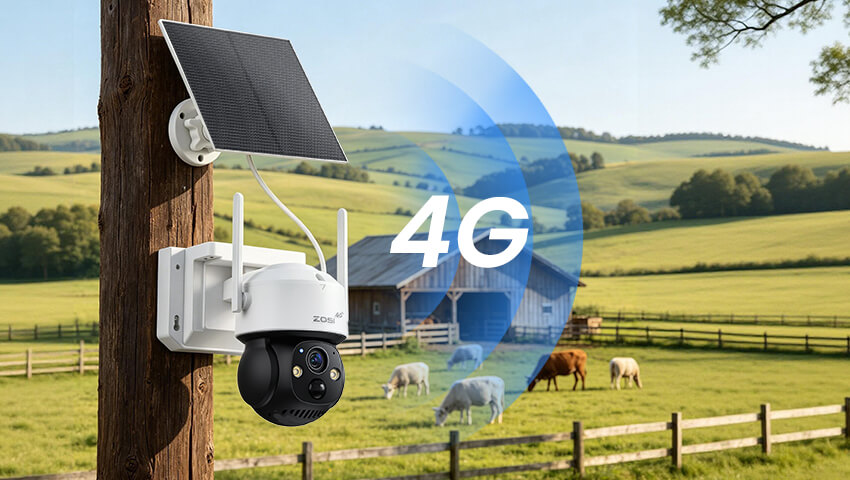
A security camera is only useful if it can stay connected when you need it. But what happens when the property you want to protect has no Wi-Fi or wired internet?
That’s where a 4G SIM card security camera can make a difference.
Instead of relying on a home Wi-Fi network, these cameras use a SIM card and a cellular network to send video, alerts, and other data. This makes them particularly useful for farms, construction sites, vacation homes, driveways, barns, and other locations where traditional internet connections may be unavailable or unreliable.
But how do these cameras work? What kind of SIM card do they need? How much mobile data do they use? And how do you set one up?
This guide covers what you need to know before choosing and installing a 4G SIM card security camera.
Contents
What Is a 4G SIM Card Security Camera?
A 4G SIM card security camera is a camera that uses a cellular network instead of Wi-Fi to connect to the internet.
Just like a smartphone, the camera uses a compatible SIM card to access a mobile network. Once connected, it can communicate with your security camera app, send motion alerts, support remote live viewing, and upload or transfer video depending on the camera and its features.
The basic connection process looks like this:
SIM Card → 4G Cellular Network → Security Camera → Mobile App
This means you don’t necessarily need a traditional internet connection at the camera’s installation location.
For example, if you need to watch a barn several hundred feet from your house, a remote construction site, or a rural property without broadband service, a 4G camera may be a more practical option than running Ethernet cables or installing another Wi-Fi access point.
However, the camera still needs cellular coverage. A SIM card alone cannot create a network connection where the carrier’s signal is unavailable.
How Does a SIM Card Camera Connect to the Internet?
The process is relatively simple.
After inserting a compatible SIM card and powering on the camera, the device connects to an available 4G cellular network. The camera then uses that connection to communicate with its mobile app or other supported services.
When motion is detected, for example, the camera may wake up, capture footage, and send an alert to your phone.
When you open the app for live viewing, the camera uses cellular data to transmit the video to your device.
Unlike a Wi-Fi camera, there is no need to enter a home Wi-Fi password during setup. The cellular connection is handled through the SIM card and supported network.
Keep in mind that performance depends on factors such as:
– Cellular coverage at the installation location
– Network compatibility
– Signal strength
– Camera settings
– Video resolution
– Frequency of live viewing and recordings
A strong 4G signal generally provides a more stable experience, while weak coverage can lead to slower video transmission or connection problems.
Where Can You Use a 4G Security Camera?
The biggest advantage of a 4G security camera is installation flexibility.
1. Farms and Rural Properties
Large properties may not have reliable Wi-Fi coverage everywhere. A 4G camera can help monitor barns, gates, equipment areas, or other remote locations.
2. Construction Sites
Construction sites often change over time and may not have permanent internet service. A cellular camera can provide a flexible monitoring option without waiting for wired internet installation.
3. Driveways and Detached Garages
If your driveway, workshop, or detached garage is outside your Wi-Fi range, a 4G camera can provide another way to stay connected.
4. Cabins and Vacation Homes
For properties that aren’t occupied every day, a 4G camera can provide remote access without requiring a traditional broadband connection.
5. RVs and Remote Locations
When you’re traveling or monitoring an area without a fixed internet connection, cellular connectivity can offer more flexibility than Wi-Fi-dependent cameras.
What Should You Check Before Buying a SIM Card Camera?
Not every 4G camera works with every SIM card or network. Before buying one, consider these important factors.
1. 4G Network Compatibility
Check which cellular bands and networks the camera supports in your region. A camera designed for one market may not support the networks used in another.
2. SIM Card Support
Check the required SIM card size and whether the camera supports the type of cellular service you plan to use.
3. Battery Capacity
For battery-powered cameras, a larger battery can provide longer operation between charges. Usage also matters: frequent motion events and live viewing can consume more energy.
4. Solar Charging
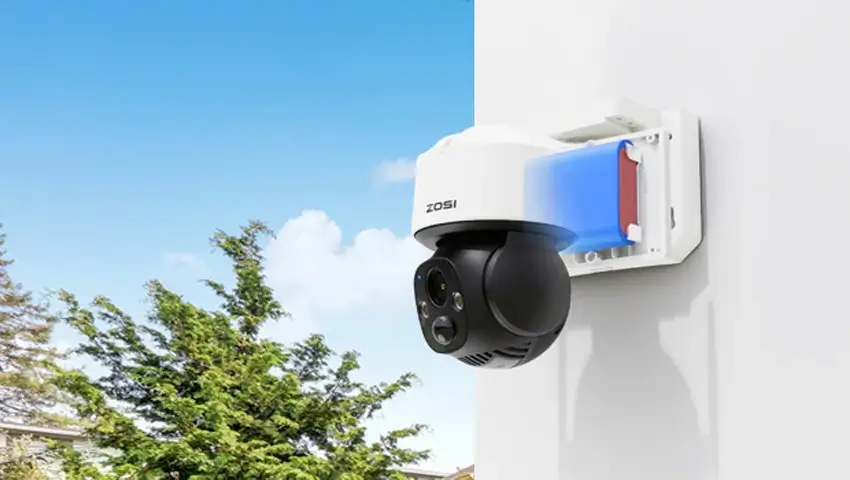
If the camera will be installed outdoors, solar charging can help replenish the battery during daylight hours and reduce the need for frequent manual charging.
5. Video Quality
Consider the resolution you actually need. Higher-resolution video can provide more detail, but it may also require more storage and mobile data.
6. Motion and AI Detection
Features such as person or vehicle detection can help reduce unnecessary alerts and recordings, potentially saving both battery power and data.
7. Storage Options
Check whether the camera supports local storage, cloud storage, or both. Local storage can be useful when you want to reduce reliance on continuous cloud uploads.
8. Weather Resistance
For outdoor installations, look for a camera designed to withstand rain, dust, temperature changes, and other environmental conditions.
What SIM Card Does a 4G Security Camera Need?
A 4G camera generally requires a SIM card with an active mobile data plan.
However, you shouldn’t assume that any SIM card will work.
Before purchasing a plan, check:
– Network compatibility: Make sure the carrier supports the camera’s cellular bands and location.
– Data allowance: Choose a plan based on how often the camera records and how frequently you use live view.
– Coverage: Verify that the carrier provides reliable 4G coverage where the camera will be installed.
– SIM activation: Some SIM cards need to be activated before they can access mobile data.
It’s also worth checking whether the SIM card has a PIN enabled. Some cameras may require the PIN to be disabled before the device can connect properly.
How Much Mobile Data Does a 4G Camera Use?
There isn’t one universal answer because data consumption varies significantly between users.
A camera that mostly stays in standby mode may use relatively little data, while one that frequently records motion events or is accessed through live view can use considerably more.
Data usage is affected by:
– Video resolution
– Recording duration
– Number of motion events
– Live-view frequency
– Cloud uploads
– Video compression
– Camera settings
For example, checking a live camera feed frequently can consume much more data than receiving occasional motion alerts.
If you’re choosing a mobile data plan, it’s better to estimate your expected usage based on how the camera will actually be used rather than selecting a plan based solely on the camera’s specifications.
How to Set Up a 4G SIM Card Security Camera
Once you’ve confirmed network compatibility, setting up a 4G camera is usually straightforward.
Step 1: Choose the Installation Location
Select a location with a clear view of the area you want to monitor. For outdoor cameras, avoid unnecessary obstructions and areas with consistently weak cellular coverage.
Step 2: Insert the SIM Card
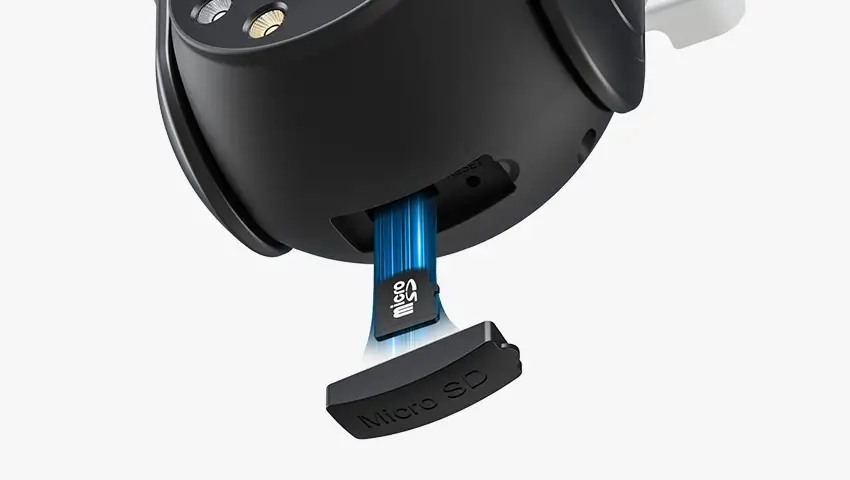
Turn off the camera if required by the manufacturer’s instructions, then insert the compatible SIM card into the designated slot.
Step 3: Install a microSD Card if Supported
If you plan to use local recording, install a compatible microSD card according to the camera’s instructions.
Step 4: Power the Camera
Charge the battery or connect the solar panel if the camera supports solar charging.
Step 5: Open the Mobile App
Download the camera’s supported app and follow the pairing instructions.
Step 6: Check the 4G Connection
Confirm that the camera has successfully connected to the cellular network.
Step 7: Test Live View and Alerts
Open the live view, trigger a motion event, and make sure notifications and recording work as expected.
Step 8: Adjust Camera Settings
Set motion sensitivity, detection types, recording preferences, and other features according to your environment.
Taking a few minutes to test everything before leaving the installation site can help prevent connectivity surprises later.
How to Get Better Performance From Your 4G Camera
A reliable cellular connection is only part of the equation. Camera settings and installation can also affect everyday performance.
Choose a Location With Better Cellular Coverage
If possible, check the 4G signal before permanently mounting the camera. Avoid locations surrounded by thick walls, underground structures, or other obstacles that may weaken the signal.
Reduce Unnecessary Motion Events
A camera facing a busy road may trigger constantly. Adjusting the detection area and sensitivity can reduce unnecessary recordings.
Use AI Detection When Available
Person and vehicle detection can help distinguish important activity from irrelevant movement, depending on the camera’s capabilities.
Limit Unnecessary Live Viewing
Live video can consume significantly more data than occasional event-based monitoring. Check the live view when needed rather than leaving it open continuously.
Keep Solar Panels Clear
For solar-powered cameras, dirt, leaves, and other obstructions can reduce charging performance. Keep the panel clean and positioned for good sunlight exposure.
4G vs. Wi-Fi vs. PoE: Which Connection Is Different?
The biggest difference between these camera types is how they connect to the network.
– 4G security cameras use a SIM card and cellular network. They’re a strong choice for remote locations without reliable Wi-Fi or wired internet.
– Wi-Fi security cameras connect through an existing wireless network. They’re convenient for homes and other locations with stable Wi-Fi coverage.
– PoE security cameras use Ethernet cables to carry both network connectivity and power. They’re well suited to permanent installations where reliable wired connections are preferred.
There isn’t one connection type that’s best for everyone. The right choice depends on your property, network availability, installation requirements, and how much flexibility you need.
How to Choose the Right Security Camera for Your Property
A simple way to narrow down your options is to start with your internet connection.
No reliable Wi-Fi or wired internet?
A 4G SIM card security camera may be the better fit.
Reliable Wi-Fi is already available?
A Wi-Fi camera can provide a convenient solution for many residential installations.
You want a permanent wired system with multiple cameras?
A PoE system may be a better choice.
For larger properties, you may even use different connection types for different areas depending on network availability and installation requirements.
FAQs
Q: Do 4G Security Cameras Need Wi-Fi?
A: No. 4G security cameras connect to the internet through a compatible SIM card and cellular network, so they don’t require a Wi-Fi connection at the installation location.
Q: Can I Use Any SIM Card in a Security Camera?
A: Not necessarily. The SIM card must be compatible with the camera’s supported network and cellular bands. Before purchasing a data plan, check the camera’s network requirements and confirm that the carrier provides coverage in your area.
Q: How Much Data Does a 4G Security Camera Use?
A: Data usage varies depending on video resolution, motion activity, live viewing, recording settings, and cloud features. Frequent live viewing and video uploads generally consume more data than occasional event-based monitoring.
Q: Do 4G Security Cameras Need a Monthly Data Plan?
A:Most 4G security cameras require an active cellular data plan to access the mobile network. The amount of data you need depends on how often the camera records, sends alerts, or is accessed remotely.
Conclusion
A 4G SIM card security camera can be a practical solution for properties where traditional Wi-Fi or wired internet isn’t available.
By using a SIM card and cellular network, these cameras provide more flexibility for monitoring farms, construction sites, driveways, cabins, barns, and other remote locations.
Before choosing one, pay attention to 4G compatibility, cellular coverage, SIM requirements, battery capacity, storage, video quality, and data usage. Once installed correctly, a 4G camera can provide remote security coverage without depending on a traditional Wi-Fi connection.
If your property doesn’t have reliable Wi-Fi, the key question isn’t whether you can install a security camera—it’s which connection method fits your location best. For many off-grid or remote applications, 4G can provide the flexibility needed to keep an eye on your property wherever you are.
Related Posts